
From Clomosy Docs
No edit summary |
|||
| Line 12: | Line 12: | ||
*<span style="color:red">''TInterpolationType.Linear''</span>: It is used to control the smooth transition of values in animations. | *<span style="color:red">''TInterpolationType.Linear''</span>: It is used to control the smooth transition of values in animations. | ||
Exampled, the codes of the program where an image is created within the program and its height will be increased by 250 pixels after 10 seconds are provided below. | |||
:'''Base Syntax''' | |||
var | |||
MainForm : TclForm; | |||
iconImg : TCLProImage; | |||
GetTimer: TClTimer; | |||
begin | |||
MainForm:=TclForm.Create(self); | |||
iconImg := MainForm.AddNewProImage(MainForm,'iconImg'); | |||
clComponent.SetupComponent(iconImg,'{"Align" : "Top","MarginTop":50,"MarginLeft":50,"MarginRight":50, | |||
"Height":100,"ImgUrl":"https://www.clomosy.com/demos/cornerArrow.png", "ImgFit":"yes"}'); | |||
'''clAnimateFloat'''(iconImg,'Height',350,10,1,6); | |||
MainForm.Run; | |||
end; | |||
:'''TRObject Syntax''' | |||
var | |||
MainForm : TclForm; | |||
iconImg : TCLProImage; | |||
GetTimer: TClTimer; | |||
{ | |||
MainForm = TclForm.Create(self); | |||
iconImg = MainForm.AddNewProImage(MainForm,'iconImg'); | |||
clComponent.SetupComponent(iconImg,'{"Align" : "Top","MarginTop":50,"MarginLeft":50,"MarginRight":50, | |||
"Height":100,"ImgUrl":"https://www.clomosy.com/demos/cornerArrow.png", "ImgFit":"yes"}'); | |||
'''clAnimateFloat'''(iconImg,'Height',350,10,1,6); | |||
MainForm.Run; | |||
} | |||
= See Also= | = See Also= | ||
Revision as of 13:29, 7 February 2024
Clomosy's clAnimateFloat is a procedure that allows a TComponent derived component's properties to smoothly transition from one value to another over a specified period of time. This procedure is particularly useful when creating animated transitions for graphical user interface (GUI) elements or adding visual effects.
The general usage is as follows:
clAnimateFloat(MyControl,PropertyName,TargetValue,Duration,TAnimationType.In,TInterpolationType.Linear);
- MyControl: Represents the control or component that is the target of the animation.
- PropertyName: Specifies the name of the property to which the animation will be applied.
- TargetValue: Specifies the target value that the property should reach at the end of the animation.
- Duration: Specifies the duration of the animation in seconds.
- TAnimationType.In: It is one of the animation types and typically represents an animation type that involves an increase in a value or the visibility of a specific property.
- TInterpolationType.Linear: It is used to control the smooth transition of values in animations.
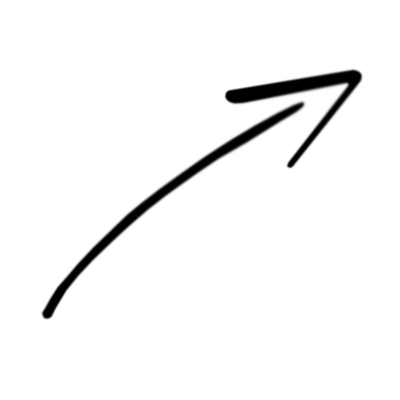
Exampled, the codes of the program where an image is created within the program and its height will be increased by 250 pixels after 10 seconds are provided below.
- Base Syntax
 var
  MainForm : TclForm;
  iconImg : TCLProImage;
  GetTimer: TClTimer;


 begin
  MainForm:=TclForm.Create(self);

  iconImg := MainForm.AddNewProImage(MainForm,'iconImg');
  clComponent.SetupComponent(iconImg,'{"Align" : "Top","MarginTop":50,"MarginLeft":50,"MarginRight":50,
  "Height":100,"ImgUrl":"https://www.clomosy.com/demos/cornerArrow.png", "ImgFit":"yes"}');

  clAnimateFloat(iconImg,'Height',350,10,1,6);

  MainForm.Run;

 end;
- TRObject Syntax
 var
  MainForm : TclForm;
  iconImg : TCLProImage;
  GetTimer: TClTimer;


 {
  MainForm = TclForm.Create(self);

  iconImg = MainForm.AddNewProImage(MainForm,'iconImg');
  clComponent.SetupComponent(iconImg,'{"Align" : "Top","MarginTop":50,"MarginLeft":50,"MarginRight":50,
  "Height":100,"ImgUrl":"https://www.clomosy.com/demos/cornerArrow.png", "ImgFit":"yes"}');

  clAnimateFloat(iconImg,'Height',350,10,1,6);

  MainForm.Run;

 }