
From Clomosy Docs
Clomosy Seminar Demos
The codes of the examples we prepared during the Clomosy seminar event are provided here.
These examples are written to demonstrate the features of Clomosy infrastructure. As Clomosy developers, you can improve these examples and use the features within them in other applications.
Hello World Example
Let the first example you do in the Clomosy development environment be the Hello World example. That way, you get started with the easy step.
In this application, you will learn how to actually use the message box by giving your message in ShowMessage. In addition, you will learn the for loop, case condition, procedure creation and finally the use of the button component.
Code:
var
   MyForm:TclForm;
   I:integer;
   startBtn:TCLButton;

   Procedure StartBtnOnClick;
   begin
    for I := 1 to 6 do
    begin
      case I of
        1:ShowMessage('Hello World');
        2:ShowMessage('Number 2');
        else
        begin
          ShowMessage('Others=> counter: '+IntToStr(I));
        end;
      end;
    end;
  end;

begin
  MyForm := TclForm.Create(Self);

  startBtn:= MyForm.AddNewButton(MyForm,'startBtn','SHOW');
  startBtn.TextSettings.Font.Size:=50;
  startBtn.Align := alCenter;
  startBtn.Height := 50;
  startBtn.Width := 100;
  MyForm.AddNewEvent(startBtn,tbeOnClick,'StartBtnOnClick');

  MyForm.Run;
end;
Web Browser Example
The programs used to access internet pages are called browser or web browser. Using Clomosy with the TclWebBrowser component, we can access any website we want.
Code:
Var
 MyForm:TclForm;
 xWeb:TclWebBrowser;
 topBar:TCLProEdit;

Begin
 MyForm := TclForm.Create(Self);
 topBar := MyForm.AddNewProEdit(MyForm,'topBar','www.Clomosy.com');
 clComponent.SetupComponent(topBar,'{"Align" : "Top","Width" :180, "Height":45,"RoundHeight":10,"RoundWidth":10,"BorderColor":"#000000",
 "BorderWidth":2}');
 topBar.Text := 'www.Clomosy.com';
 topBar.ReadOnly := True;

 xWeb:= MyForm.AddNewWebBrowser(MyForm,'xWeb');
 xWeb.Align := alClient;
 xWeb.Navigate('www.Clomosy.com');
 MyForm.Run;

End;
Output:

Outfit Color Selection Example
By using color palettes in the application, you can create a combination by selecting the color of the clothes you wear. You can also choose your gender in the application. As you click on the colors, the colors change. If you want to get the code of a color you like, just click on the area where the color code text is located.
Code:
Var
MyForm:TclForm;
TitleEdit: TClProEdit;
color1Pnl,color2Pnl,color3Pnl:TclProPanel;
FirstImg,SecondImg,ThirdImg:TclProImg;
OnlyLayout,genderLyt:TclLayout;
color1Lbl,color2Lbl,color3Lbl:TclProLabel;
firstColor,lastColor:string;
MaleBtn,femaleBtn:TcLProButton;
genderState:integer;
myObject : TclProLabel;

procedure SetEdit;
begin
  TitleEdit := MyForm.AddNewProEdit(MyForm,'TitleEdit','Kombinini Seçemedin Mi?');
  clComponent.SetupComponent(TitleEdit,'{"Align" : "MostTop", "Height":55,"RoundHeight":13,
  "RoundWidth":13,"BorderColor":"#f5f5f5","BorderWidth":4,"MarginLeft":30, "MarginRight":30}');
  TitleEdit.enabled:=False;
end;

function GenerateRandomHexColor: string;
var
  Red, Green, Blue: Byte;
begin
  Red := clMath.GenerateRandom(0,256);
  Green := clMath.GenerateRandom(0,256);
  Blue := clMath.GenerateRandom(0,256);
  Result := '#' + IntToHex(Red, 2) + IntToHex(Green, 2) + IntToHex(Blue, 2);
end;

Procedure color1PnlOnClick;
var
  rndmColor:string;
begin
  rndmColor := GenerateRandomHexColor;
  firstColor := rndmColor;
  clComponent.SetupComponent(color1Pnl,'{"BackgroundColor":"'+rndmColor+'"}');
  color1Lbl.Text := rndmColor;
  clComponent.SetupComponent(color1Lbl,'{"TextColor":"'+rndmColor+'"}');
end;

Procedure color2PnlOnClick;
var
  rndmColor:string;
begin
  rndmColor := GenerateRandomHexColor;
  clComponent.SetupComponent(color2Pnl,'{"BackgroundColor":"'+rndmColor+'"}');
  color2Lbl.Text := rndmColor;
  clComponent.SetupComponent(color2Lbl,'{"TextColor":"'+rndmColor+'"}');
end;

Procedure color3PnlOnClick;
var
  rndmColor:string;
begin
  rndmColor := GenerateRandomHexColor;
  lastColor := rndmColor;
  clComponent.SetupComponent(color3Pnl,'{"BackgroundColor":"'+rndmColor+'"}');
  color3Lbl.Text := rndmColor;
  clComponent.SetupComponent(color3Lbl,'{"TextColor":"'+rndmColor+'"}');
end;

procedure copy;
begin
  clUtils.SaveToClipBoard(myObject.Text);
  ShowMessage ('Kopyalandı');
end;

Procedure color1LblOnClick;
begin
  myObject:=color1Lbl ;
  copy;
end;

Procedure color2LblOnClick;
begin
  myObject:=color2Lbl ;
  copy;
end;

Procedure color3LblOnClick;
begin
  myObject:=color3Lbl ;
  copy;
end;

procedure genderdetermination;
begin
  if genderState=1 then
             begin
             clComponent.SetupComponent(FirstImg,'{"ImgUrl":"https://clomosy.com/illustration/erkekust.png"}');
             clComponent.SetupComponent(SecondImg,'{"ImgUrl":"https://clomosy.com/illustration/erkekalt.png"}');
             clComponent.SetupComponent(ThirdImg,'{"ImgUrl":"https://clomosy.com/illustration/erkekayakkabi.png"}');
             end
             else
             begin
             clComponent.SetupComponent(FirstImg,'{"ImgUrl":"https://clomosy.com/illustration/kizust.png"}');
             clComponent.SetupComponent(SecondImg,'{"ImgUrl":"https://clomosy.com/illustration/kizalt.png"}');
             clComponent.SetupComponent(ThirdImg,'{"ImgUrl":"https://clomosy.com/illustration/kizayakkabi.png"}');

             end;
 end;

Procedure MaleBtnOnClick;
begin
  genderState:=1;
  genderdetermination;
end;

Procedure FemaleBtnOnClick;
begin
  genderState:=0;
  genderdetermination;
end;

begin
  MyForm := TclForm.Create(Self);
  SetEdit;

  //...........Layout.............//

  OnlyLayout := MyForm.AddNewLayout(MyForm,'OnlyLayout');
  OnlyLayout.Align:=alClient;
  OnlyLayout.Margins.Top:=50;
  OnlyLayout.Margins.Bottom:=100;

 //............Paneller..........//

  firstColor := '#5e61ff';
  color1Pnl:=MyForm.AddNewProPanel(OnlyLayout,'color1Pnl');
  clComponent.SetupComponent(color1Pnl,'{"Align" : "MostTop",
  "Height":140,"BackgroundColor":"#5e61ff"}');
  MyForm.AddNewEvent(color1Pnl,tbeOnClick,'color1PnlOnClick');

  color1Lbl := MyForm.AddNewProLabel(color1Pnl,'color1Lbl','#5e61ff');
  clComponent.SetupComponent(color1Lbl,'{"Align" : "Right","MarginTop":80,"RoundHeight":10,
  "RoundWidth":10,"BorderColor":"null","BorderWidth":2,"BackgroundColor":"#ffffff",
  "TextColor":"#AF1B3F","TextSize":20,"TextHorizontalAlign":"center","TextBold":"yes"}');
  MyForm.AddNewEvent(color1Lbl,tbeOnClick,'color1LblOnClick');

  FirstImg := MyForm.AddNewProImage(color1Pnl,'FirstImg');
  clComponent.SetupComponent(FirstImg,'{"Align" : "Client","BorderColor":"null","BackgroundColor":"null",
  "ImgUrl":"https://clomosy.com/illustration/erkekust.png"}');

  //---------------------------------------------------------------------------

  color2Pnl:=MyForm.AddNewProPanel(OnlyLayout,'color2Pnl');
  clComponent.SetupComponent(color2Pnl,'{"Align" : "Top",
  "Height":140,"BackgroundColor":"#AF1B3F"}');
  MyForm.AddNewEvent(color2Pnl,tbeOnClick,'color2PnlOnClick');

  color2Lbl := MyForm.AddNewProLabel(color2Pnl,'color2Lbl','#AF1B3F');
  clComponent.SetupComponent(color2Lbl,'{"Align" : "Right","MarginTop":80,"RoundHeight":10,
  "RoundWidth":10,"BorderColor":"null","BorderWidth":2,"BackgroundColor":"#ffffff",
  "TextColor":"#AF1B3F","TextSize":20,"TextHorizontalAlign":"center","TextBold":"yes"}');
  MyForm.AddNewEvent(color2Lbl,tbeOnClick,'color2LblOnClick');

  SecondImg := MyForm.AddNewProImage(color2Pnl,'SecondImg');
  clComponent.SetupComponent(SecondImg,'{"Align" : "Client","BorderColor":"null",
  "BackgroundColor":"null","ImgUrl":"https://clomosy.com/illustration/erkekalt.png"}');

  //---------------------------------------------------------------------------

  color3Pnl:=MyForm.AddNewProPanel(OnlyLayout,'color3Pnl');
  clComponent.SetupComponent(color3Pnl,'{"Align" : "Top",
  "Height":140,
  "BackgroundColor":"#01FDF6"}');
  MyForm.AddNewEvent(color3Pnl,tbeOnClick,'color3PnlOnClick');
  lastColor := '#01FDF6';

  color3Lbl := MyForm.AddNewProLabel(color3Pnl,'color3Lbl','#01FDF6');
  clComponent.SetupComponent(color3Lbl,'{"Align" : "Right","MarginTop":80,"RoundHeight":10,
  "RoundWidth":10,"BorderColor":"null","BorderWidth":2,"BackgroundColor":"#ffffff",
  "TextColor":"#AF1B3F","TextSize":20,"TextHorizontalAlign":"center","TextBold":"yes"}');
  MyForm.AddNewEvent(color3Lbl,tbeOnClick,'color3LblOnClick');

  ThirdImg := MyForm.AddNewProImage(color3Pnl,'ThirdImg');
  clComponent.SetupComponent(ThirdImg,'{"Align" : "Client","BorderColor":"null","BackgroundColor":"null",
  "ImgUrl":"https://clomosy.com/illustration/erkekayakkabi.png"}');

 //..............................................................................//

   genderLyt := MyForm.AddNewLayout(MyForm,'testLayout');
   genderLyt.Align:=alBottom;
   genderLyt.Height := 65;
   genderLyt.Width := 270;
   genderLyt.Margins.Top := 20;
   genderLyt.Margins.Left := 90;
   genderLyt.Margins.Right := 90;
   genderLyt.Margins.Bottom := 40;

   MaleBtn := MyForm.AddNewProButton(genderLyt,'MaleBtn','');
   clComponent.SetupComponent(MaleBtn,'{"Align" : "left","Width" :80,
  "Height":50,"BorderColor":"#ffffff","BackgroundColor":"#689bca", "BorderWidth":1,"RoundHeight":10,"RoundWidth":10,
  "ImgUrl":"https://clomosy.com/educa/male.png", "ImgFit":"yes"}');

  MyForm.AddNewEvent(MaleBtn,tbeOnClick,'MaleBtnOnClick');

  femaleBtn := MyForm.AddNewProImage(genderLyt,'femaleBtn');
  clComponent.SetupComponent(femaleBtn,'{"Align" : "right","Width" :80,
  "Height":50,"BorderColor":"#ffffff","BackgroundColor":"#cd5c5c",
  "BorderWidth":1,"RoundHeight":10,"RoundWidth":10,"ImgUrl":"https://clomosy.com/educa/female.png", "ImgFit":"yes"}');
  MyForm.AddNewEvent(femaleBtn,tbeOnClick,'FemaleBtnOnClick');

  MyForm.SetFormBGImage('https://clomosy.com/educa/bg1.png');

  MyForm.Run;
end;
Output:

Body Mass Index Calculator Example
In this application, the body mass index is calculated by entering the weight, height and gender of the person and clicking the confirmation button. According to calculations, it gives messages such as weak, normal, overweight and obese. In addition, the picture below changes according to the weight.
Code:
var
 MyForm:TclForm;
 formLayout:TclLayout;
 mainPnl:TclProPanel;

 mainPnlHeight,
 mainPnlWidth:integer;
 kgLyt,heightLyt,genderLyt:TclLayout;
 kgEdt,heightEdt:TclProEdit;
 kgLbl,heightLbl,outputLbl,genderLbl,titleLbl:TclProLabel;

 maleBtn,femaleBtn,checkBtn,outputImg:TClProImage;
 resultValue:double;
 genderState:integer;

 Procedure CheckBtnOnClick;
 begin
   if (heightEdt.text ='') or (kgEdt.Text='') then
   begin
        ShowMessage('Please Enter Weight and Height Values.');
        exit;
   end;


   resultValue := StrToFloat(kgEdt.Text)/Sqr((StrToFloat(heightEdt.text))/100);
   if resultValue < (18.5) then
   begin
     ShowMessage('Weak');
     case genderState of
       1:
       begin
         clComponent.SetupComponent(outputImg,'{"Align" : "Client","Width" :150, "Height":150,
         "BackgroundColor":"null",
         "MarginTop" : 50,
         "ImgUrl":"https://clomosy.com/illustration/underweightman.png", "ImgFit":"yes"}');

       end;
       2:
       begin
         clComponent.SetupComponent(outputImg,'{"Align" : "Client","Width" :150, "Height":150,
         "BackgroundColor":"null",
         "MarginTop" : 50,
         "ImgUrl":"https://clomosy.com/illustration/underweightwoman.png", "ImgFit":"yes"}');
       end;
     end;
   end
   else if resultValue < 24.9 then
   begin
     ShowMessage('Normal');
     case genderState of
       1:
       begin
         clComponent.SetupComponent(outputImg,'{"Align" : "Client","Width" :150, "Height":150,
         "BackgroundColor":"null",
         "MarginTop" : 50,
         "ImgUrl":"https://clomosy.com/illustration/normalman.png", "ImgFit":"yes"}');

       end;
       2:
       begin
         clComponent.SetupComponent(outputImg,'{"Align" : "Client","Width" :150, "Height":150,
         "BackgroundColor":"null",
         "MarginTop" : 50,
         "ImgUrl":"https://clomosy.com/illustration/normalwoman.png", "ImgFit":"yes"}');
       end;
     end;
   end
   else if resultValue < 29.9 then
   begin
     ShowMessage('Overweight');
     case genderState of
       1:
       begin
         clComponent.SetupComponent(outputImg,'{"Align" : "Client","Width" :150, "Height":150,
         "BackgroundColor":"null",
         "MarginTop" : 50,
         "ImgUrl":"https://clomosy.com/illustration/overweightman.png", "ImgFit":"yes"}');

       end;
       2:
       begin
         clComponent.SetupComponent(outputImg,'{"Align" : "Client","Width" :150, "Height":150,
         "BackgroundColor":"null",
         "MarginTop" : 50,
         "ImgUrl":"https://clomosy.com/illustration/overweightwoman.png", "ImgFit":"yes"}');
       end;
     end;
   end
   else
   if resultValue < 39.9 then
   begin

     case genderState of
       1:
       begin
         clComponent.SetupComponent(outputImg,'{"Align" : "Client","Width" :150, "Height":150,
         "BackgroundColor":"null",
         "MarginTop" : 50,
         "ImgUrl":"https://clomosy.com/illustration/obeseman.png", "ImgFit":"yes"}');
         ShowMessage('Obese');

       end;
       2:
       begin
         clComponent.SetupComponent(outputImg,'{"Align" : "Client","Width" :150, "Height":150,
         "BackgroundColor":"null",
         "MarginTop" : 50,
         "ImgUrl":"https://clomosy.com/illustration/obesewoman.png", "ImgFit":"yes"}');

         ShowMessage('Obese');
       end;
     end;
   end
   else
   begin

     case genderState of
       1:
       begin
         clComponent.SetupComponent(outputImg,'{"Align" : "Client","Width" :150, "Height":150,
         "BackgroundColor":"null",
         "MarginTop" : 50,
         "ImgUrl":"https://clomosy.com/illustration/obeseman2.png", "ImgFit":"yes"}');

         ShowMessage('Obese');

       end;
       2:
       begin
         clComponent.SetupComponent(outputImg,'{"Align" : "Client","Width" :150, "Height":150,
         "BackgroundColor":"null",
         "MarginTop" : 50,
         "ImgUrl":"https://clomosy.com/illustration/obesewoman2.png", "ImgFit":"yes"}');

         ShowMessage('Obese');
       end;
     end;
   end;
 end;

 Procedure MaleBtnOnClick;
 begin
   genderState := 1;
   clComponent.SetupComponent(maleBtn,'{"Align" : "Left","Width" :50, "Height":300,
   "BackgroundColor":"#689bca",
   "BorderColor":"#ffffff",
   "BorderWidth":1,
   "RoundHeight":10,
   "RoundWidth":10,
   "ImgUrl":"https://img.icons8.com/ios-filled/100/FFFFFF/male.png", "ImgFit":"yes"}');

   clComponent.SetupComponent(outputImg,'{"Align" : "Client","Width" :150, "Height":150,
   "BackgroundColor":"null",
   "MarginTop" : 50,
   "ImgUrl":"https://clomosy.com/illustration/normalman.png", "ImgFit":"yes"}');

   clComponent.SetupComponent(femaleBtn,'{"Align" : "Left","Width" :50, "Height":300,
   "BackgroundColor":"null",
   "BorderColor":"#ffffff",
   "BorderWidth":1,
   "RoundHeight":10,
   "RoundWidth":10,
   "MarginLeft":30,
   "ImgUrl":"https://img.icons8.com/ios-filled/100/FFFFFF/female.png", "ImgFit":"yes"}');
 end;
 Procedure FemaleBtnOnClick;
 begin
   genderState := 2;
   clComponent.SetupComponent(maleBtn,'{"Align" : "Left","Width" :50, "Height":300,
   "BackgroundColor":"null",
   "BorderColor":"#ffffff",
   "BorderWidth":1,
   "RoundHeight":10,
   "RoundWidth":10,
   "ImgUrl":"https://img.icons8.com/ios-filled/100/FFFFFF/male.png", "ImgFit":"yes"}');

   clComponent.SetupComponent(outputImg,'{"Align" : "Client","Width" :150, "Height":150,
   "BackgroundColor":"null",
   "MarginTop" : 50,
   "ImgUrl":"https://clomosy.com/illustration/normalwoman.png", "ImgFit":"yes"}');

   clComponent.SetupComponent(femaleBtn,'{"Align" : "Left","Width" :50, "Height":300,
   "BackgroundColor":"#D37bc5",
   "BorderColor":"#ffffff",
   "BorderWidth":1,
   "RoundHeight":10,
   "RoundWidth":10,
   "MarginLeft":30,
   "ImgUrl":"https://img.icons8.com/ios-filled/100/FFFFFF/female.png", "ImgFit":"yes"}');
 end;

 Procedure SetupContents;
 begin
   genderState := 1;


   {           KG Edit Start                }
   kgLyt := MyForm.AddNewLayout(mainPnl,'kgLyt');
   kgLyt.Align:=alMostTop;
   kgLyt.Height := 35;
   kgLyt.Width := 200;
   kgLyt.Margins.Top := 20;
   kgLyt.Margins.Left := 20;
   kgLyt.Margins.Right := 20;
   kgLyt.Margins.Bottom := 20;

   kgLbl := MyForm.AddNewProLabel(kgLyt,'kgLbl','KG :');
   clComponent.SetupComponent(kgLbl,'{"Align" : "Left","Width" :60, "Height":30,"TextColor":"#ffffff",
   "TextVerticalAlign":"center",
   "TextHorizontalAlign":"left",
   "MarginBottom":0,
   "TextSize":12,"TextBold":"yes"}');


   kgEdt := MyForm.AddNewProEdit(kgLyt,'kgEdt','80');
   clComponent.SetupComponent(kgEdt,'{"Align" : "Client",
   "Width" :129,
   "Height":33,
   "MarginBottom":0,
   "BackgroundColor":"null",
   "TextColor":"#ffffff",
   "BorderColor":"#ffffff",
   "BorderWidth":1}');

   kgEdt.StyledSettings := ssFamily;
   kgEdt.TextSettings.FontColor := clAlphaColor.clHexToColor('#ffffff');

   kgEdt.clTypeOfField := taFloat;
   {           KG Edit End                }

   {           HEIGHT Edit Start                }
   heightLyt := MyForm.AddNewLayout(mainPnl,'heightLyt');
   heightLyt.Align:=alMostTop;
   heightLyt.Height := 35;
   heightLyt.Width := 200;
   heightLyt.Margins.Top := 20;
   heightLyt.Margins.Left := 20;
   heightLyt.Margins.Right := 20;
   heightLyt.Margins.Bottom := 20;

   heightLbl := MyForm.AddNewProLabel(heightLyt,'heightLbl','Length :');
   clComponent.SetupComponent(heightLbl,'{"Align" : "Left","Width" :60, "Height":30,"TextColor":"#ffffff",
   "TextVerticalAlign":"center",
   "TextHorizontalAlign":"left",
   "MarginBottom":0,
   "TextSize":12,"TextBold":"yes"}');


   heightEdt := MyForm.AddNewProEdit(heightLyt,'heightEdt','1.80');
   clComponent.SetupComponent(heightEdt,'{"Align" : "Client",
   "Width" :129,
   "Height":33,
   "MarginBottom":0,
   "BackgroundColor":"null",
   "TextColor":"#ffffff",
   "BorderColor":"#ffffff",
   "BorderWidth":1}');

   HeightEdt.StyledSettings := ssFamily;
   HeightEdt.TextSettings.FontColor := clAlphaColor.clHexToColor('#ffffff');

   HeightEdt.clTypeOfField := taFloat;
   {           HEIGHT Edit End                }

   genderLyt := MyForm.AddNewLayout(mainPnl,'genderLyt');
   genderLyt.Align:=alMostTop;
   genderLyt.Height := 35;
   genderLyt.Width := 200;
   genderLyt.Margins.Top := 20;
   genderLyt.Margins.Left := 20;
   genderLyt.Margins.Right := 20;
   genderLyt.Margins.Bottom := 20;

   genderLbl := MyForm.AddNewProLabel(genderLyt,'genderLbl','Gender :');
   clComponent.SetupComponent(genderLbl,'{"Align" : "Left","Width" :60, "Height":30,"TextColor":"#ffffff",
   "TextVerticalAlign":"center",
   "TextHorizontalAlign":"left",
   "MarginBottom":0,
   "TextSize":12,"TextBold":"yes"}');

   maleBtn := MyForm.AddNewProImage(genderLyt,'maleBtn');
   clComponent.SetupComponent(maleBtn,'{"Align" : "Left","Width" :50, "Height":300,
   "BackgroundColor":"#689bca",
   "BorderColor":"#ffffff",
   "BorderWidth":1,
   "RoundHeight":10,
   "RoundWidth":10,
   "ImgUrl":"https://img.icons8.com/ios-filled/100/FFFFFF/male.png", "ImgFit":"yes"}');

   MyForm.AddNewEvent(maleBtn,tbeOnClick,'MaleBtnOnClick');

   femaleBtn := MyForm.AddNewProImage(genderLyt,'femaleBtn');
   clComponent.SetupComponent(femaleBtn,'{"Align" : "Left","Width" :50, "Height":300,
   "BackgroundColor":"null",
   "BorderColor":"#ffffff",
   "BorderWidth":1,
   "RoundHeight":10,
   "RoundWidth":10,
   "MarginLeft":30,
   "ImgUrl":"https://img.icons8.com/ios-filled/100/FFFFFF/female.png", "ImgFit":"yes"}');

   MyForm.AddNewEvent(femaleBtn,tbeOnClick,'FemaleBtnOnClick');

   checkBtn := MyForm.AddNewProImage(mainPnl,'checkBtn');
   clComponent.SetupComponent(checkBtn,'{"Align" : "Top","Width" :60, "Height":60,
   "BackgroundColor":"null",
   "ImgUrl":"https://img.icons8.com/ios-filled/50/FFFFFF/checked--v1.png", "ImgFit":"yes"}');

   MyForm.AddNewEvent(checkBtn,tbeOnClick,'CheckBtnOnClick');

   outputImg := MyForm.AddNewProImage(mainPnl,'outputImg');
   clComponent.SetupComponent(outputImg,'{"Align" : "Client","Width" :150, "Height":150,
   "BackgroundColor":"null",
   "MarginTop" : 50,
   "ImgUrl":"https://clomosy.com/illustration/normalman.png", "ImgFit":"yes"}');

 end;

 Procedure SetupFormLayout;
 begin
   formLayout := MyForm.AddNewLayout(MyForm,'formLayout');
   formLayout.Align:=alContents;
   mainPnlHeight := (formLayout.Height)/2;
   mainPnlWidth := (formLayout.Width)/2;
 end;

 Procedure SetupPanel;
 begin
   mainPnl:=MyForm.AddNewProPanel(MyForm,'mainPnl');
   clComponent.SetupComponent(mainPnl,'{"Align" : "Client","Width" :'+IntToStr(mainPnlWidth)+',
   "Height":'+IntToStr(mainPnlHeight)+',
   "BackgroundColor":"null",
   "BorderColor":"null",
   "MarginTop" : 1,
   "MarginBottom":20,
   "MarginRight":50,
   "MarginLeft":50,
   "RoundHeight":10,
   "RoundWidth":10,
   "BorderWidth":1}');
 end;

begin
 MyForm := TclForm.Create(Self);

 MyForm.SetFormBGImage('https://images.clomosy.com/media/ThemeStyle5.png');
 SetupFormLayout;
 SetupPanel;
 SetupContents;
 MyForm.Run;

end;
Output:

QR Code Scanning Example
The purpose of this example is to keep track of the arrival and departure times of employees in businesses. Special devices and software are required for these operations. We have made all the work possible with a simple processing through clomosy.
- A tablet produces a changing QR code, preventing any irregularities. We have also solved the problem of reading in different locations by changing the code every 10 seconds. An administrator in the project must be responsible for generating the QR code.
- The personnel can arrive and scan the QR code with their phones.
- The registration process and scanned time of the personnel are recorded on the administrator's screen. (The administrator must log in through Windows.)
Code:
var
 MyForm:TCLForm;
 QRGen : TClQRCodeGenerator;
 QrTimer, QrTimeTimer:TClTimer;
 BtnNewQrCode:TclButton;
 BtnReadQrCode:TclButton;
 ReadQrEdt : TclEdit;
 LblDisplay:TclLabel;
 IntQROnStartVal:Extended;
 QrAppType:Integer;
 QrSecondLimit:Integer;

 Procedure BtnNewQrCodeClick;
 begin
   BtnNewQrCode.Caption := FormatDateTime('yymmdd0hhnnss', Now);
   QRGen.Text := Clomosy.ProjectEncryptAES(BtnNewQrCode.Caption);
 End;

 Procedure OnQrTimer;
 begin
   QrTimeTimer.Tag := QrSecondLimit;
   BtnNewQrCodeClick;
 End;

 Procedure SaveRecordThread;
 Begin
   Clomosy.DBCloudPostJSON(ftThreads,'[{"Thread_Value_Str":"'+ReadQrEdt.Text+'","Thread_Quantity":1}]');
 End;

 Procedure OnGetQRCode;
   var
     s:String;
     IntQRVal:Extended;
 begin
   If ReadQrEdt.Text='' Then Exit;
   s := FormatDateTime('yymmdd0hhnnss', Now);
   IntQROnStartVal := StrToFloat(s);
   Try
     s := Clomosy.ProjectDecryptAES(ReadQrEdt.Text);
     ReadQrEdt.Text := s;
     IntQRVal := StrToFloat(s);
   Except
     IntQRVal :=0;
   end;

   If (IntQROnStartVal-QrSecondLimit)<= IntQRVal Then
   Begin
     SaveRecordThread;
   End Else ShowMessage('Invalid QR Code.  Please complete the process within '+IntToStr(QrSecondLimit)+' seconds. Try again!');

 End;

 Procedure BtnReadQrCodeClick;
 begin
   MyForm.CallBarcodeReaderWithScript(ReadQrEdt,'OnGetQRCode');
 End;

 Procedure OnQrTimeTimer;
 begin
   QrTimeTimer.Tag := QrTimeTimer.Tag - 1;
   LblDisplay.Text := IntToStr(QrTimeTimer.Tag);
 End;
begin
 QrAppType := 0;
 QrSecondLimit := 10;

 If Clomosy.PlatformIsMobile Then QrAppType := 2;

 If Not Clomosy.PlatformIsMobile Then
   QrAppType := 1;
 IF QrAppType=1 Then
 Begin
   Clomosy.OpenForm(ftMembers,fdtsingle,froReadOnly, ffoNoFilter);
   Exit;
 End;

 if Clomosy.AppUserGUID ='6MFW419738' then
   QrAppType:=1;

 If Clomosy.AppUserProfile=1 Then
  QrAppType:=0;

 MyForm := TCLForm.Create(Self);

 LblDisplay:= MyForm.AddNewLabel(MyForm,'LblDisplay','--');
 LblDisplay.Align := alTop;

 If QrAppType=0 then
 Begin
   QRGen:= MyForm.AddNewQRCodeGenerator(MyForm,'QRGen','Hello World');
   QRGen.Height := 200;
   QRGen.Align := alCenter;

   BtnNewQrCode:= MyForm.AddNewButton(MyForm,'BtnNewQrCode','Starting');
   BtnNewQrCode.Align := alTop;
   MyForm.AddNewEvent(BtnNewQrCode,tbeOnClick,'BtnNewQrCodeClick');
 End;

 If QrAppType=2 then
 Begin
   BtnReadQrCode:= MyForm.AddNewButton(MyForm,'BtnReadQrCode','Scan the QR Code');
   BtnReadQrCode.Height := 100;
   BtnReadQrCode.Width := 200;
   BtnReadQrCode.Align := alCenter;
   MyForm.AddNewEvent(BtnReadQrCode,tbeOnClick,'BtnReadQrCodeClick');

   ReadQrEdt := MyForm.AddNewEdit(MyForm,'ReadQrEdt','Scan the Barcode...');
   ReadQrEdt.Align := alBottom;
   ReadQrEdt.ReadOnly := True;
   ReadQrEdt.Visible := False;
 End;

 If QrAppType=0 then
 Begin
   QrTimer:= MyForm.AddNewTimer(MyForm,'QrTimer',1000*QrSecondLimit);
   QrTimer.Interval := 1000*QrSecondLimit;
   QrTimer.Enabled := True;
   MyForm.AddNewEvent(QrTimer,tbeOnTimer,'OnQrTimer');

   QrTimeTimer:= MyForm.AddNewTimer(MyForm,'QrTimeTimer',1000);
   QrTimeTimer.Interval := 1000;
   QrTimeTimer.Tag := QrSecondLimit;
   QrTimeTimer.Enabled := True;
   MyForm.AddNewEvent(QrTimeTimer,tbeOnTimer,'OnQrTimeTimer');
 End;
 MyForm.Run;

end;
Microsoft Azure Connection Example
Microsoft Azure (previously known as Windows Azure) is a cloud platform service that "provides a wide variety of Internet services that can be consumed both from open environment environments and from the Internet. Clomosy supports this database system. You can establish an Azure database connection and perform the desired operations through your Clomosy application.
In this application, user name, surname, phone information are taken and added and deleted on the database.
When performing local SQL operations, you must write your database information in the red fields in the code section, otherwise the code will not work.
Code:
var
 myForm:TclForm;
 layout1,layout2,layout3,layout4: TclLayout;
 btnLayout:TclLayout;
 upperPanel,downPanel    : TclPanel;
 saveBtn,deleteBtn,reloadBtn  : TclProButton;
 nameLbl,surnameLbl,telNumLbl,userIDLbl:TclLabel;
 nameEdt,surnameEdt,telNumEdt,userIDEdt:TclEdit;
 mainListView:TClListView;

 procedure Clear;
 begin
   nameEdt.Text    :='';
   surnameEdt.Text :='';
   telNumEdt.Text:='';
   userIDEdt.Text:='';
 end;

 procedure onItemClick;
 var
   clOgrenciQuery :TclSQLQuery;
   recordGUID : String;
 begin
   recordGUID := mainListView.clSelectedItemData('RECORD_GUID');

   clOgrenciQuery:=TclSQLQuery.Create(Nil);
   Try
     clOgrenciQuery.Connection := Clomosy.DBSQLServerConnection;
     clOgrenciQuery.SQL.Text := 'SELECT ID AS RECORD_GUID,AD AS MAIN_TEXT,SOYAD AS SUB_TEXT ,TELEFON_NUMARASI AS FOOTER_TEXT, ID AS SIDE_TEXT_CENTER FROM TBLOGRENCI WHERE ID = ' + recordGUID;
     clOgrenciQuery.Open;
     nameEdt.Text       := clOgrenciQuery.FieldByName('MAIN_TEXT').AsString;
     surnameEdt.Text    := clOgrenciQuery.FieldByName('SUB_TEXT').AsString;
     telNumEdt.Text   := clOgrenciQuery.FieldByName('FOOTER_TEXT').AsString;
     userIDEdt.Text   := clOgrenciQuery.FieldByName('RECORD_GUID').AsString;
     clOgrenciQuery.Close;
   Finally
     clOgrenciQuery.Free;
   End;
 End;

 procedure SetupSqlConnection;
 begin
   Clomosy.DBSQLServerConnect('SQL Server','server_name','user_name','user_password','database_name',port);
 end;

 Procedure OnloadListView;
 var
   clViewDataQuery :TclSQLQuery;
 begin
     clViewDataQuery:=TclSQLQuery.Create(Nil);
   Try
     clViewDataQuery.Connection := Clomosy.DBSQLServerConnection;
     clViewDataQuery.SQL.Text :='SELECT  ID AS RECORD_GUID,NAME AS MAIN_TEXT,SURNAME AS SUB_TEXT ,TEL_NUMBER AS FOOTER_TEXT, ID AS SIDE_TEXT_CENTER FROM TBLSTUDENT ORDER BY ID DESC ';
     clViewDataQuery.Open;
     mainListView.clLoadListViewDataFromDataset(clViewDataQuery);
   finally
     clViewDataQuery.Free;
   End;
 End;

 procedure SetLayout;
 begin
   upperPanel:=myForm.AddNewPanel(myForm,'upperPanel','');
   upperPanel.Align:=alMostTop;
   upperPanel.Height := 200;
   upperPanel.StyleLookup:='pushpanel';

   layout1 := myForm.AddNewLayout(upperPanel,'layout1');
   layout1.Align := alMostTop;
   layout1.Height := 25;
   layout1.Width := 200;

   userIDLbl:= MyForm.AddNewLabel(layout1,'userIDLbl','User ID: ');
   userIDLbl.StyledSettings := ssFamily;
   userIDLbl.TextSettings.Font.Size:=15;
   userIDLbl.Align := alMostLeft;
   userIDLbl.Margins.Left:= 20;
   userIDLbl.Height := 20;
   userIDLbl.Width := 100;

   userIDEdt:= MyForm.AddNewEdit(layout1,'userIDEdt','ID...');
   userIDEdt.ReadOnly := True;
   userIDEdt.TextSettings.Font.Size:=25;
   userIDEdt.Align := alLeft;
   userIDEdt.Height := 25;
   userIDEdt.Width := 170;
   //          LAYOUT 2
   layout2 := myForm.AddNewLayout(upperPanel,'layout2');
   layout2.Align := alMostTop;
   layout2.Height := 25;
   layout2.Width := 200;

   nameLbl:= MyForm.AddNewLabel(layout2,'nameLbl','Name: ');
   nameLbl.StyledSettings := ssFamily;
   nameLbl.TextSettings.Font.Size:=15;
   nameLbl.Align := alMostLeft;
   nameLbl.Margins.Left:= 20;
   nameLbl.Height := 20;
   nameLbl.Width := 100;

   nameEdt:= MyForm.AddNewEdit(layout2,'nameEdt','Name...');
   nameEdt.TextSettings.Font.Size:=25;
   nameEdt.Align := alLeft;
   nameEdt.Height := 25;
   nameEdt.Width := 170;
   //            LAYOUT 3

   layout3 := myForm.AddNewLayout(upperPanel,'layout3');
   layout3.Align := alMostTop;
   layout3.Height := 25;
   layout3.Width := 200;

   surnameLbl:= MyForm.AddNewLabel(layout3,'surnameLbl','Surname: ');
   surnameLbl.StyledSettings := ssFamily;
   surnameLbl.TextSettings.Font.Size:=15;
   surnameLbl.Align := alLeft;
   surnameLbl.Margins.Left:= 20;
   surnameLbl.Height := 20;
   surnameLbl.Width := 100;

   surnameEdt:= MyForm.AddNewEdit(layout3,'surnameEdt','Surname...');
   surnameEdt.TextSettings.Font.Size:=25;
   surnameEdt.Align := alLeft;
   surnameEdt.Height := 25;
   surnameEdt.Width := 170;

   //            LAYOUT 4

   layout4 := myForm.AddNewLayout(upperPanel,'layout4');
   layout4.Align := alMostTop;
   layout4.Height := 25;
   layout4.Width := 200;

   telNumLbl:= MyForm.AddNewLabel(layout4,'telNumLbl','Tel: ');
   telNumLbl.StyledSettings := ssFamily;
   telNumLbl.TextSettings.Font.Size:=15;
   telNumLbl.Align := alMostLeft;
   telNumLbl.Margins.Left:= 20;
   telNumLbl.Height := 20;
   telNumLbl.Width := 100;

   telNumEdt:= MyForm.AddNewEdit(layout4,'telNumEdt','Tel...');
   telNumEdt.TextSettings.Font.Size:=25;
   telNumEdt.Align := alLeft;
   telNumEdt.Height := 25;
   telNumEdt.Width := 170;
   telNumEdt.MaxLength := 11;
   telNumEdt.ClTypeOfField :=taFloat;

   btnLayout := myForm.AddNewLayout(upperPanel,'btnLayout');
   btnLayout.Align := alMostTop;
   btnLayout.Height := 100;
   btnLayout.Width := 100;

   saveBtn := MyForm.AddNewProButton(btnLayout,'saveBtn','');
   clComponent.SetupComponent(saveBtn,'{"Align" : "MostLeft","MarginLeft":10,"Width" :100, "Height":100}');
   MyForm.SetImage(saveBtn,'https://clomosy.com/educa/board-check.png');
   MyForm.AddNewEvent(saveBtn,tbeOnClick,'InsertBtnOnClick');

   If Not Clomosy.PlatformIsMobile Then
   begin
       deleteBtn := MyForm.AddNewProButton(btnLayout,'deleteBtn','');
       clComponent.SetupComponent(deleteBtn,'{"Align" : "Left","MarginLeft":10,"Width" :100, "Height":100}');
       MyForm.SetImage(deleteBtn,'https://clomosy.com/educa/trash.png');
       MyForm.AddNewEvent(deleteBtn,tbeOnClick,'DeleteBtnOnClick');
   end;

   reloadBtn := MyForm.AddNewProButton(btnLayout,'reloadBtn','');
   clComponent.SetupComponent(reloadBtn,'{"Align" : "Left","MarginLeft":10,"Width" :100, "Height":100}');
   MyForm.SetImage(reloadBtn,'https://clomosy.com/educa/refresh.png');
   MyForm.AddNewEvent(reloadBtn,tbeOnClick,'ReloadBtnOnClick');

   downPanel:=myForm.AddNewPanel(myForm,'downPanel','');
   downPanel.Align:=alClient;
   downPanel.StyleLookup:='pushpanel';
   downPanel.Margins.Right := 0;
   mainListView := MyForm.AddNewListView(downPanel,'mainListView');
   mainListView.Align := alClient;
   mainListView.Margins.Right := 0;
   MyForm.AddNewEvent(mainListView,tbeOnItemClick, 'onItemClick');

 end;

procedure ReloadBtnOnClick;
 begin
      OnloadListView;
 end;

 procedure DeleteBtnOnClick;
 var
   clViewDataQuery :TclSQLQuery;
 begin
     if (nameEdt.Text <> '') and (surnameEdt.Text <> '') and (telNumEdt.Text <> '') and (userIDEdt.Text <> '') then
    begin
         clViewDataQuery:=TclSQLQuery.Create(Nil);
         Try
             clViewDataQuery.Connection := Clomosy.DBSQLServerConnection;
             clViewDataQuery.SQL.Text :='DELETE FROM TBLSTUDENT  WHERE ID= '+userIDEdt.Text;
             clViewDataQuery.ExecSql;
         finally
             clViewDataQuery.Free;
         End;
   end;

   OnloadListView;
   Clear;
 end;

 procedure InsertBtnOnClick;
 var
   clViewDataQuery :TclSQLQuery;
 begin
   if telNumEdt.Text ='' then
    ShowMessage('Please Enter Phone Number.!');

   if surnameEdt.Text ='' then
    ShowMessage('Please Enter Surname.!');

   if nameEdt.Text = '' then
    ShowMessage('Please Enter Name.!');
    if (nameEdt.Text <> '') and (surnameEdt.Text <> '') and (telNumEdt.Text <> '') and (userIDEdt.Text = '') then
    begin
         clViewDataQuery:=TclSQLQuery.Create(Nil);
         Try
             clViewDataQuery.Connection := Clomosy.DBSQLServerConnection;
             clViewDataQuery.SQL.Text :=' INSERT TBLSTUDENT (NAME,SURNAME,TEL_NUMBER) VALUES ('+QuotedStr(nameEdt.Text)+','+QuotedStr(surnameEdt.Text)+','+QuotedStr(telNumEdt.Text)+')';
             clViewDataQuery.ExecSql;
         finally
             clViewDataQuery.Free;
         End;
     end;
     if (nameEdt.Text <> '') and (surnameEdt.Text <> '') and (telNumEdt.Text <> '') and (userIDEdt.Text <> '') then
    begin
         clViewDataQuery:=TclSQLQuery.Create(Nil);
         Try
             clViewDataQuery.Connection := Clomosy.DBSQLServerConnection;
             clViewDataQuery.SQL.Text :='UPDATE TBLSTUDENT SET NAME='+QuotedStr(nameEdt.Text)+' ,SURNAME='+QuotedStr(surnameEdt.Text)+', TEL_NUMBER='+QuotedStr(telNumEdt.Text)+' WHERE ID= '+userIDEdt.Text;
             clViewDataQuery.ExecSql;
         finally
             clViewDataQuery.Free;
         End;
    end;

   OnloadListView;
   Clear;
 end;

begin
 myForm := TclForm.Create(Self);

 SetLayout;
 SetupSqlConnection;
 OnloadListView;
 myForm.Run;
end;
Output:

IOT Example
- What is IOT?
The Internet of Things (IoT) describes the network of physical objects embedded with sensors, software, and other technologies for the purpose of connecting and sharing data with other devices and systems over the Internet. These devices range from ordinary household objects to advanced industrial tools.
We use the MQTT protocol to enable IoT devices to communicate with each other on Clomosy. So what is MQTT, see MQTT page for detailed information.
In this example, we transmit the code embedded in Raspberry Pi technology to the server with the help of MQTT protocol over Clomosy. By providing communication in this way, we can connect to the Raspberry remotely and turn our led on and off.
Information: It is necessary to write the desired codes into the Raspberry Pi system. For this, we coded in Python and integrated the activation code of our Clomosy project. In this way, we established our connection.
Code:
var
 MyForm:TCLForm;
 color1Pnl,color2Pnl,color3Pnl,color4Pnl,color5Pnl:TclProPanel;
 colorPnlTag:integer;
 color1Lbl,color11Lbl,color2Lbl,color22Lbl,color3Lbl,color33Lbl,color4Lbl,color44Lbl,color5Lbl,color55Lbl,stateLbl:TclProLabel;

 mainPnlHeight, mainPnlWidth:integer;
 formLayout:TclLayout;

 MyMQTT : TclMQTT;

 Procedure SetupMQTT;
 begin
   stateLbl := MyForm.AddNewProLabel(MyForm,'stateLbl','Not Connected');
   clComponent.SetupComponent(stateLbl,'{"Align" : "Top","Width" :20, "Height":20,"TextColor":"#ff0000","TextSize":24,"TextVerticalAlign":"center",
   "TextHorizontalAlign":"center","TextBold":"yes"}');

   MyMQTT := MyForm.AddNewMQTTConnection(MyForm,'MyMQTT');
   MyForm.AddNewEvent(MyMQTT,tbeOnMQTTStatusChanged,'MyMQTTStatusChanged');


   MyMQTT.Channel := 'clomosy';//project guid + channel
   MyMQTT.Connect;

   if CLomosy.AppUserProfile = 1 then
     ShowMessage(Clomosy.Project_GUID);
 end;

 Procedure MyMQTTStatusChanged;
 begin
   If MyMQTT.Connected Then
   begin
     stateLbl.Text:='Connected';
     clComponent.SetupComponent(stateLbl,'{"Align" : "Top","Width" :20, "Height":20,"TextColor":"#00ff00","TextSize":24,"TextVerticalAlign":"center",
     "TextHorizontalAlign":"center","TextBold":"yes"}');
   end;
   else
   begin
     stateLbl.Text:= 'Not Connected';
     clComponent.SetupComponent(stateLbl,'{"Align" : "Top","Width" :20, "Height":20,"TextColor":"#ff0000","TextSize":24,"TextVerticalAlign":"center",
     "TextHorizontalAlign":"center","TextBold":"yes"}');
   end;
 End;

 Procedure SetupFormLayout;
 begin
   formLayout := MyForm.AddNewLayout(MyForm,'formLayout');
   formLayout.Align:=alContents;
   mainPnlHeight := ((formLayout.Height)/5)-25;
   mainPnlWidth := (formLayout.Width)/5;
 end;

 procedure color1LblOnClick;
 begin
   If Clomosy.AppUserProfile=1 Then
   begin
     If not MyMQTT.Connected then
       MyMQTT.Connect;
     MyMQTT.Send('ON5');
   end;
 end;

 procedure color11LblOnClick;
 begin
   If Clomosy.AppUserProfile=1 Then
   begin
     If not MyMQTT.Connected then
       MyMQTT.Connect;
     MyMQTT.Send('OFF5');
   end;
 end;

 procedure color2LblOnClick;
 begin
   If Clomosy.AppUserProfile=1 Then
   begin
     If not MyMQTT.Connected then
       MyMQTT.Connect;
     MyMQTT.Send('ON1');
   end;
 end;

 procedure color22LblOnClick;
 begin
   If Clomosy.AppUserProfile=1 Then
   begin
     If not MyMQTT.Connected then
       MyMQTT.Connect;
     MyMQTT.Send('OFF1');
   end;
 end;

 procedure color3LblOnClick;
 begin
   If Clomosy.AppUserProfile=1 Then
   begin
     If not MyMQTT.Connected then
       MyMQTT.Connect;
     MyMQTT.Send('ON2');
   end;
 end;

 procedure color33LblOnClick;
 begin
   If Clomosy.AppUserProfile=1 Then
   begin
     If not MyMQTT.Connected then
       MyMQTT.Connect;
     MyMQTT.Send('OFF2');
   end;
 end;

 procedure color4LblOnClick;
 begin
   If Clomosy.AppUserProfile=1 Then
   begin
     If not MyMQTT.Connected then
       MyMQTT.Connect;
     MyMQTT.Send('ON4');
   end;
 end;

 procedure color44LblOnClick;
 begin
   If Clomosy.AppUserProfile=1 Then
   begin
     If not MyMQTT.Connected then
       MyMQTT.Connect;
     MyMQTT.Send('OFF4');
   end;
 end;

 procedure color5LblOnClick;
 begin
   If Clomosy.AppUserProfile=1 Then
   begin
     If not MyMQTT.Connected then
       MyMQTT.Connect;
     MyMQTT.Send('ON3');
   end;
 end;

 procedure color55LblOnClick;
 begin
   If Clomosy.AppUserProfile=1 Then
   begin
     If not MyMQTT.Connected then
       MyMQTT.Connect;
     MyMQTT.Send('OFF3');
   end;
 end;

begin
 MyForm := TCLForm.Create(Self);
 SetupFormLayout;
 SetupMQTT;

 {                 RED START                              }
 color1Pnl:=MyForm.AddNewProPanel(MyForm,'color1Pnl');
 clComponent.SetupComponent(color1Pnl,'{"Align" : "Top",
 "Width" :'+IntToStr(mainPnlWidth)+',
 "Height":'+IntToStr(mainPnlHeight)+',
 "BackgroundColor":"#ff0000"}');

 color1Lbl := MyForm.AddNewProLabel(color1Pnl,'color1Lbl','On');
 clComponent.SetupComponent(color1Lbl,'{"Align" : "Right","MarginTop":70,"RoundHeight":10,"RoundWidth":10,"BorderColor":"#000000",
 "BorderWidth":2,"BackgroundColor":"#ffffff","Width" :110, "Height":150,"TextColor":"#ff0000","TextSize":24,"TextVerticalAlign":"center",
 "TextHorizontalAlign":"center","TextBold":"yes"}');

 color11Lbl := MyForm.AddNewProLabel(color1Pnl,'color11Lbl','Off');
 clComponent.SetupComponent(color11Lbl,'{"Align" : "MostRight","MarginTop":70,"RoundHeight":10,"RoundWidth":10,"BorderColor":"#000000",
 "BorderWidth":2,"BackgroundColor":"#ffffff","Width" :110, "Height":150,"TextColor":"#ff0000","TextSize":24,"TextVerticalAlign":"center",
 "TextHorizontalAlign":"center","TextBold":"yes"}');

 MyForm.AddNewEvent(color1Lbl,tbeOnClick,'color1LblOnClick');
 MyForm.AddNewEvent(color11Lbl,tbeOnClick,'color11LblOnClick');

 {               RED end                                 }

 {               BLUE START                                }
 color2Pnl:=MyForm.AddNewProPanel(MyForm,'color2Pnl');
 clComponent.SetupComponent(color2Pnl,'{"Align" : "Top",
 "Width" :'+IntToStr(mainPnlWidth)+',
 "Height":'+IntToStr(mainPnlHeight)+',
 "BackgroundColor":"#00ccff"}');

 color2Lbl := MyForm.AddNewProLabel(color2Pnl,'color2Lbl','On');
 clComponent.SetupComponent(color2Lbl,'{"Align" : "Right","MarginTop":70,"RoundHeight":10,"RoundWidth":10,"BorderColor":"#000000",
 "BorderWidth":2,"BackgroundColor":"#ffffff","Width" :110, "Height":150,"TextColor":"#ff0000","TextSize":24,"TextVerticalAlign":"center",
 "TextHorizontalAlign":"center","TextBold":"yes"}');

 color22Lbl := MyForm.AddNewProLabel(color2Pnl,'color22Lbl','Off');
 clComponent.SetupComponent(color22Lbl,'{"Align" : "MostRight","MarginTop":70,"RoundHeight":10,"RoundWidth":10,"BorderColor":"#000000",
 "BorderWidth":2,"BackgroundColor":"#ffffff","Width" :110, "Height":150,"TextColor":"#ff0000","TextSize":24,"TextVerticalAlign":"center",
 "TextHorizontalAlign":"center","TextBold":"yes"}');

 MyForm.AddNewEvent(color2Lbl,tbeOnClick,'color2LblOnClick');
 MyForm.AddNewEvent(color22Lbl,tbeOnClick,'color22LblOnClick');

 {                 BLUE end                                    }

 {                 GREEN START                           }
 color3Pnl:=MyForm.AddNewProPanel(MyForm,'color3Pnl');
 clComponent.SetupComponent(color3Pnl,'{"Align" : "Top",
 "Width" :'+IntToStr(mainPnlWidth)+',
 "Height":'+IntToStr(mainPnlHeight)+',
 "BackgroundColor":"#33cc33"}');

 color3Lbl := MyForm.AddNewProLabel(color3Pnl,'color3Lbl','On');
 clComponent.SetupComponent(color3Lbl,'{"Align" : "Right","MarginTop":70,"RoundHeight":10,"RoundWidth":10,"BorderColor":"#000000",
 "BorderWidth":2,"BackgroundColor":"#ffffff","Width" :110, "Height":150,"TextColor":"#ff0000","TextSize":24,"TextVerticalAlign":"center",
 "TextHorizontalAlign":"center","TextBold":"yes"}');

 color33Lbl := MyForm.AddNewProLabel(color3Pnl,'color33Lbl','Off');
 clComponent.SetupComponent(color33Lbl,'{"Align" : "MostRight","MarginTop":70,"RoundHeight":10,"RoundWidth":10,"BorderColor":"#000000",
 "BorderWidth":2,"BackgroundColor":"#ffffff","Width" :110, "Height":150,"TextColor":"#ff0000","TextSize":24,"TextVerticalAlign":"center",
 "TextHorizontalAlign":"center","TextBold":"yes"}');

 MyForm.AddNewEvent(color3Lbl,tbeOnClick,'color3LblOnClick');
 MyForm.AddNewEvent(color33Lbl,tbeOnClick,'color33LblOnClick');

 {                 GREEN END                           }

 {                 WHITE START                         }

 color4Pnl:=MyForm.AddNewProPanel(MyForm,'color4Pnl');
 clComponent.SetupComponent(color4Pnl,'{"Align" : "Top",
 "Width" :'+IntToStr(mainPnlWidth)+',
 "Height":'+IntToStr(mainPnlHeight)+',
 "BackgroundColor":"#FFFFFF"}');

 color4Lbl := MyForm.AddNewProLabel(color4Pnl,'color4Lbl','On');
 clComponent.SetupComponent(color4Lbl,'{"Align" : "Right","MarginTop":70,"RoundHeight":10,"RoundWidth":10,"BorderColor":"#000000",
 "BorderWidth":2,"BackgroundColor":"#ffffff","Width" :110, "Height":150,"TextColor":"#ff0000","TextSize":24,"TextVerticalAlign":"center",
 "TextHorizontalAlign":"center","TextBold":"yes"}');

 color44Lbl := MyForm.AddNewProLabel(color4Pnl,'color44Lbl','Off');
 clComponent.SetupComponent(color44Lbl,'{"Align" : "MostRight","MarginTop":70,"RoundHeight":10,"RoundWidth":10,"BorderColor":"#000000",
 "BorderWidth":2,"BackgroundColor":"#ffffff","Width" :110, "Height":150,"TextColor":"#ff0000","TextSize":24,"TextVerticalAlign":"center",
 "TextHorizontalAlign":"center","TextBold":"yes"}');

 MyForm.AddNewEvent(color4Lbl,tbeOnClick,'color4LblOnClick');
 MyForm.AddNewEvent(color44Lbl,tbeOnClick,'color44LblOnClick');

 {                 WHITE END                         }

 {                 YELLOW START                         }

 color5Pnl:=MyForm.AddNewProPanel(MyForm,'color5Pnl');
 clComponent.SetupComponent(color5Pnl,'{"Align" : "Top",
 "Width" :'+IntToStr(mainPnlWidth)+',
 "Height":'+IntToStr(mainPnlHeight)+',
 "BackgroundColor":"#ffff00"}');

 color5Lbl := MyForm.AddNewProLabel(color5Pnl,'color5Lbl','On');
 clComponent.SetupComponent(color5Lbl,'{"Align" : "Right","MarginTop":70,"RoundHeight":10,"RoundWidth":10,"BorderColor":"000000",
 "BorderWidth":2,"BackgroundColor":"#ffffff","Width" :110, "Height":150,"TextColor":"#ff0000","TextSize":24,"TextVerticalAlign":"center",
 "TextHorizontalAlign":"center","TextBold":"yes"}');

 color55Lbl := MyForm.AddNewProLabel(color5Pnl,'color55Lbl','Off');
 clComponent.SetupComponent(color55Lbl,'{"Align" : "MostRight","MarginTop":70,"RoundHeight":10,"RoundWidth":10,"BorderColor":"000000",
 "BorderWidth":2,"BackgroundColor":"#ffffff","Width" :110, "Height":150,"TextColor":"#ff0000","TextSize":24,"TextVerticalAlign":"center",
 "TextHorizontalAlign":"center","TextBold":"yes"}');

 MyForm.AddNewEvent(color5Lbl,tbeOnClick,'color5LblOnClick');
 MyForm.AddNewEvent(color55Lbl,tbeOnClick,'color55LblOnClick');

 {                 YELLOW END                         }

 MyForm.Run;
end;
Output:

Messaging App - MQTT
It is an application made for different devices to communicate with each other with MQTT.
Code:
var
 MyForm:TclForm;
 MyMQTT : TclMQTT;
 BtnSend:TclProButton;
 LblDisplay:TclLabel;
 MemMsg:TclMemo;
 MsgList:TclMemo;
 msjBoxPanel, bigPanel :TclProPanel;
 getMsjLayout : TclLayout;
 msj : String;

 Procedure MyMQTTStatusChanged;
 begin
   If MyMQTT.Connected Then
   begin
   LblDisplay.Text := 'Connected';
   LblDisplay.TextSettings.FontColor := clAlphaColor.clHexToColor('#0d7d0b');
   end
   Else
   begin
   LblDisplay.Text := 'Not Connected';
   LblDisplay.TextSettings.FontColor := clAlphaColor.clHexToColor('#7a1209');

   end;
 End;

 Procedure MyMQTTPublishReceived;
 begin
   msj := Clomosy.AppUserDisplayName;
   If MyMQTT.ReceivedAlright Then Begin

     MsgList.Lines.Add('                   ' + MyMQTT.ReceivedMessage);
   End;
     //Else MsgList.Lines.Add(MyMQTT.ReceivedMessage);
 End;

 Procedure BtnSendClick;
 begin
   MyMQTT.Send(Clomosy.AppUserDisplayName+' : '+MemMsg.Text);  //Data is sent opposite and communicates with other devices.
   MsgList.Lines.Add('You: '+MemMsg.Text);
   MemMsg.Text := ' ';
 End;

begin
 MyForm := TclForm.Create(Self);

 bigPanel:=MyForm.AddNewProPanel(MyForm,'bigPanel');
 clComponent.SetupComponent(bigPanel,'{"Align" : "Client","MarginBottom":10,"MarginTop":10,"MarginLeft":10,
 "MarginRight":10,"RoundHeight":10,"RoundWidth":10,"BorderColor":"#5f00bf","BorderWidth":2}');

 LblDisplay:= MyForm.AddNewLabel(bigPanel,'LblDisplay','--');
 LblDisplay.Align := alTop;
 LblDisplay.Visible := True;
 LblDisplay.Margins.Left := 10;
 LblDisplay.StyledSettings := ssFamily;
 LblDisplay.TextSettings.Font.Size := 13;

 MyMQTT := MyForm.AddNewMQTTConnection(bigPanel,'MyMQTT');
 MyForm.AddNewEvent(MyMQTT,tbeOnMQTTStatusChanged,'MyMQTTStatusChanged');
 MyForm.AddNewEvent(MyMQTT,tbeOnMQTTPublishReceived,'MyMQTTPublishReceived');


 MyMQTT.Channel := 'chat';//project guid + channel
 MyMQTT.Connect;//After the screen is turned on, the method of calling with a button should also be tested.

 MsgList:= MyForm.AddNewMemo(bigPanel,'MsgList','');
 MsgList.Align := alClient;
 MsgList.Margins.Top := 10;
 MsgList.Margins.Bottom := 10;
 MsgList.Margins.Left := 10;
 MsgList.Margins.Right := 10;
 MsgList.TextSettings.WordWrap := True;
 MsgList.ReadOnly := True;

   getMsjLayout := MyForm.AddNewLayout(bigPanel,'getMsjLayout');
   getMsjLayout.Align:=alBottom;
   getMsjLayout.Height := 90;
   getMsjLayout.Margins.Bottom := 5;
   getMsjLayout.Width := 400;
   getMsjLayout.Margins.Left := 10;
   getMsjLayout.Margins.Right := 10;

   BtnSend := MyForm.AddNewProButton(getMsjLayout,'BtnSend','');
   clComponent.SetupComponent(BtnSend,'{"caption":" ","Align" : "Right" ,"MarginBottom":15,"Width" :80,
   "MarginTop" : 15,"MarginLeft" : 5,"Height":60,"BorderColor":"#ffffff"}');
   MyForm.SetImage(BtnSend,'https://img.icons8.com/nolan/256/send.png');
   MyForm.AddNewEvent(BtnSend,tbeOnClick,'BtnSendClick');


   msjBoxPanel:=MyForm.AddNewProPanel(getMsjLayout,'msjBoxPanel');
   clComponent.SetupComponent(msjBoxPanel,'{"Align" : "Left","RoundHeight":15,"Width" :240,"Height":30,
   "MarginLeft":10,"MarginBottom":20,"MarginTop":20,
   "RoundWidth":15,"BorderColor":"#bf00bf","BorderWidth":1}');


 MemMsg:= MyForm.AddNewMemo(msjBoxPanel,'MemMsg','');
 MemMsg.Align := alClient;
 MemMsg.Margins.Left := 5;
 MemMsg.Margins.Right := 5;
 MemMsg.Margins.Bottom := 5;
 MemMsg.Margins.Top := 5;
 MemMsg.TextSettings.WordWrap := True;
 MyForm.SetFormBGImage('https://i.pinimg.com/originals/2f/04/bf/2f04bfaf8ab4e619682fbcd040893a3b.jpg');
 MyForm.Run;
End;
Output:

Gyroscope Ufo Game
Before we get into the game, let's understand what a gyroscope is.
- What is Gyroscope?
The gyroscope sensor is a system that can detect angular velocity. In other words, the rotation direction and speed of a stationary object are determined by comparing the angular ratios in three vertical axes. It processes the data it detects with the help of the processor and converts it into electrical signals. The gyroscope works on the principle of maintaining angular balance, which is used to measure or adjust direction. The basis of gyroscopic motion is based on the laws of physics and the principle of centrifugation. For these reasons, it allows us to perform instant movements faster.
Cell phone, tablet etc. It is integrated in technological devices and is a system that we use a lot in applications, games and 3D software. It is used in applications such as car races, game consoles, camera sensitivity adjustment in photo shoots and navigation that we steer by turning left and right on mobile phones.
In the game, we reach x, y location information by directing our device with the gyroscope method. Afterwards, when we bring the UFO to the desired area, the game is over. It is used in 2 different features in the game. These; Device vibration and device sound effect.
A simple game has been developed using the gyroscope feature. In this way, you can develop the games you want.
Code:
Var
  MyForm:TclGameForm;
  ImgBall, ImgHole:TclProImage;
  DeviceMotionSensor:TClMotionSensor;
  LblDisplay:TclLabel;
  GameTimer:TClTimer;
  BtnStartGame:TclButton;
  SoundIndex:Integer;
  myDeviceManager:TclDeviceManager;
  HoleMin_X,HoleMax_X : Single; // Ball must be placed inside these coordinates
  HoleMin_Y,HoleMax_Y : Single;

  function isBallinTheHole: Boolean;
  var
    centX,CentY : Single;
  begin
    Result := False;
    centX := ImgBall.Position.X + (ImgBall.Width/2);
    centY := ImgBall.Position.Y + (ImgBall.Height/2);
    if (centX <= HoleMax_X) and (centX >= HoleMin_X) and
       (centY <= HoleMax_Y) and (centY >= HoleMin_Y) then
     Result := True;
  end;

  Procedure ProcOnGameTimer;
  Const
    BallSpeed = 5;
  begin
    If Clomosy.PlatformIsMobile Then
   Begin
      Case DeviceMotionSensor.GetDirectionX of
        1:ImgBall.Position.X := ImgBall.Position.X - BallSpeed;//Move left
        2:ImgBall.Position.X := ImgBall.Position.X + BallSpeed;//Move right
      End;
      Case DeviceMotionSensor.GetDirectionY of
        1:ImgBall.Position.Y := ImgBall.Position.Y - BallSpeed;//Move up
        2:ImgBall.Position.Y := ImgBall.Position.Y + BallSpeed;//Move down
      End;
      if (ImgBall.Position.X + ImgBall.Width) > TForm(MyForm).ClientWidth then  // Form Right border control
        ImgBall.Position.X := TForm(MyForm).ClientWidth - ImgBall.Width;

      if (ImgBall.Position.X) < 0 then // Left border control
        ImgBall.Position.X := 0;

      if (ImgBall.Position.Y + ImgBall.Height) > TForm(MyForm).ClientHeight then  // Form Bottom border control
        ImgBall.Position.Y := TForm(MyForm).ClientHeight - ImgBall.Height;

      if (ImgBall.Position.Y < 0) then  // Top border control
        ImgBall.Position.Y := 0;

      if isBallinTheHole then
      begin
        GameTimer.Enabled := False;
        ImgBall.Position.X := HoleMin_X;
        ImgBall.Position.Y := HoleMin_Y;
        If Clomosy.PlatformIsMobile Then DeviceMotionSensor.Active := False;//game stopped
        BtnStartGame.Text := 'START GAME';
        MyForm.PlayGameSound(SoundIndex); //sound effect
        myDeviceManager.Vibrate(1000); // vibration feature
        ShowMessage('Congratulations');
      end;

    End;
  End

 Procedure BtnStartGameClick;
 begin
   GameTimer.Enabled := Not GameTimer.Enabled;
   If GameTimer.Enabled Then BtnStartGame.Text := 'STOP GAME' ELSE BtnStartGame.Text := 'START GAME';
   If GameTimer.Enabled Then
   Begin
     ImgBall.Align := alNone;
     ImgBall.Position.x := 0;
     ImgBall.Position.y := 0;
     If Clomosy.PlatformIsMobile Then DeviceMotionSensor.Active := True;
   End Else If Clomosy.PlatformIsMobile Then DeviceMotionSensor.Active := False;//game stopped
 End;

Begin
 MyForm := TclGameForm.Create(Self);
 myDeviceManager := TclDeviceManager.Create;
 MyForm.SetFormBGImage('https://i.hizliresim.com/it411uu.png');

 MyForm.AddGameAssetFromUrl('https://www.clomosy.com/game/assets/win.wav');
 SoundIndex := MyForm.RegisterSound('win.wav');
 MyForm.SoundIsActive:=True;

 LblDisplay:= MyForm.AddNewLabel(MyForm,'LblDisplay','--');
 LblDisplay.Align := alTop;
 LblDisplay.Visible := False;

 BtnStartGame:= MyForm.AddNewButton(MyForm,'BtnStartGame','START GAME');
 BtnStartGame.Align := alBottom;
 BtnStartGame.Height:=30;
 BtnStartGame.StyledSettings := ssFamily;
 BtnStartGame.TextSettings.FontColor := clAlphaColor.clHexToColor('#FFFFFF');
 MyForm.AddNewEvent(BtnStartGame,tbeOnClick,'BtnStartGameClick');

 ImgHole := MyForm.AddNewProImage(MyForm,'ImgHole');
 ImgHole.clSetImage('https://i.hizliresim.com/jdpgz0k.png');
 ImgHole.Margins.Top:=120;
 ImgHole.Properties.AutoSize := True;
 ImgHole.Align := alCenter;

 ImgBall := MyForm.AddNewProImage(MyForm,'ImgBall');
 ImgBall.clSetImage('https://i.hizliresim.com/9meyjep.png');
 ImgBall.Width := 50;
 ImgBall.Height := 50;
 ImgBall.Align := alCenter;

 HoleMin_X := ImgBall.Position.X;
 HoleMax_X := HoleMin_X + ImgBall.Width; // Ball must be placed inside these coordinates

 HoleMin_Y := ImgBall.Position.Y+18;
 HoleMax_Y := HoleMin_Y + ImgBall.Height;
 ImgBall.Align := alNone;
 ImgBall.Position.Y := HoleMin_Y;

 DeviceMotionSensor := MyForm.AddNewSensorsMotion(MyForm,'DeviceMotionSensor');
 DeviceMotionSensor.Active := Clomosy.PlatformIsMobile;

 GameTimer:= MyForm.AddNewTimer(MyForm,'GameTimer',1000);
 GameTimer.Interval := 30;
 GameTimer.Enabled := False;
 MyForm.AddNewEvent(GameTimer,tbeOnTimer,'ProcOnGameTimer');

 MyForm.Run;

End;
Word Game
The game is started by pressing the "START" button. Then, questions with 5-letter answers are drawn from the database. In this way, it is tried to find the desired word in the game. There are 3 rights and 1 hint in a game. When these rights expire, you save and the game is reset.
Code:
var
  MyForm:TclForm;
  LblDisplay,ztStartLbl:TclLabel;
  myGameEngine:TclGameEngine;
  MyWord, WordMean:String;
  MyPanel:TclPanel;
  MyWordMean:TclMemo;
  wordEdt :TclEdit;

  ztHintBtnLayout:TclLayout;
  ztHintBtn :TclImage;

  LblDisplayLayout,ztLayout,ztStartBtnLayout,ztStartLblLayout:TclLayout;
  ztStartBtn:TclImage;
  AnswStr:String;
  wrongCount:integer;
  Lblword:TcLProLabel;
  control : Boolean;
  chance : Integer;

  Procedure GetNewWord;
  begin
    myGameEngine:= TclGameEngine.Create;
    MyWord := MyGameEngine.WordService('GETWORD:5','');
    With Clomosy.ClDataSetFromJSON(MyWord) Do
    Begin
      MyWord := FieldByName('Word').AsString;
      MyWord := AnsiUpperCase(MyWord);
      LblDisplay.Text := MyWord;
      WordMean := FieldByName('MeanText').AsString;
    End;
  End;

  Procedure CheckGameOnClick;
  begin
    AnswStr := wordEdt.Text;
    AnswStr := AnsiUpperCase(AnswStr);
    If AnswStr=MyWord Then
    begin
      ShowMessage('Congratulations🤗');
      chance := 0;
      control := false;
      ztStartBtn.Tag := 0;
      MyForm.setImage(ztStartBtn,'https://clomosy.com/educa/start.png');
      ztStartLbl.Text := ' ';
      wordEdt.Text :='';
        LblDisplay.Visible := False;
        MyWordMean.Text := '';
    end;
    else
    begin
      if wrongCount = 3 then
      begin
        ShowMessage('Word: '+MyWord+'. You lost. Restart.🙁');
        chance := 0;
        control := false;
        MyForm.setImage(ztStartBtn,'https://clomosy.com/educa/start.png');
        ztStartLbl.Text := ' ';
        ztStartBtn.Tag := 0;
        wrongCount := 1;
        GetNewWord;

        wordEdt.Text := '';
        MyWordMean.Text := '';
        LblDisplay.Visible := False;
      end
      else
      begin
        wrongCount := wrongCount +1;
        ShowMessage('Wrong. Try again.🙁  Your Remaining Right  '+IntToStr(wrongCount-1)+'/3');
        wordEdt.Text := '';
      end;
    end;
  end;

  Procedure BtnStartGameClick;
  begin
    case ztStartBtn.Tag of
      0:
      begin
        MyForm.setImage(ztStartBtn,'https://clomosy.com/educa/ok.png');
        ztStartLbl.Text := ' ';
        ztStartBtn.Tag := 1;
        wrongCount := 1;
        GetNewWord;
        MyWordMean.Text := WordMean;
        wordEdt.Text :='';
        LblDisplay.Visible := False;
      end;
      1:
      begin
        CheckGameOnClick;
      end;
    end;
  End;

  Procedure SetupLayout;
  begin
    LblDisplayLayout:= MyForm.AddNewLayout(MyForm,'LblDisplayLayout');
    LblDisplayLayout.Align := alBottom;
    LblDisplayLayout.Height := 35;

    LblDisplay:= MyForm.AddNewLabel(LblDisplayLayout,'LblDisplay',' ');
    LblDisplay.Align := alRight;
    LblDisplay.Visible := True;
    LblDisplay.Margins.Bottom:=0;

    MyPanel:= MyForm.AddNewPanel(MyForm,'MyPanel','');
    MyPanel.Align := alCenter;
    MyPanel.Height := 25;
    MyPanel.Margins.Top:=100;
    MyPanel.Margins.Left:=125;
    MyPanel.Width := 125;

    wordEdt := MyForm.AddNewEdit(MyPanel,'wordEdt','________________');
    wordEdt.Width := 125;
    wordEdt.Align := alLeft;
    wordEdt.MaxLength := 5;
  end;

  Procedure SetupStartBtn;
  begin
    ztLayout := MyForm.AddNewLayout(MyForm,'ztLayout');
    ztLayout.Align:=alBottom;
    ztLayout.Height := 200;
    ztLayout.Width := 100;
    ztLayout.Margins.Bottom := 30;

    ztStartBtnLayout := MyForm.AddNewLayout(ztLayout,'ztStartBtnLayout');
    ztStartBtnLayout.Align:=alCenter;
    ztStartBtnLayout.Height := 100;
    ztStartBtnLayout.Width := 100;

    ztStartBtn:= MyForm.AddNewImage(ztStartBtnLayout,'ztStartBtn');
    ztStartBtn.Align := alTop;
    ztStartBtn.Height := 100;
    ztStartBtn.Width := 100;
    ztStartBtn.Tag := 0;

    MyForm.setImage(ztStartBtn,'https://clomosy.com/educa/start.png');

    MyForm.AddNewEvent(ztStartBtn,tbeOnClick,'BtnStartGameClick');

    ztStartLblLayout := MyForm.AddNewLayout(ztLayout,'ztStartLblLayout');
    ztStartLblLayout.Align:=alCenter;
    ztStartLblLayout.Height := 100;
    ztStartLblLayout.Width := 150;
    ztStartLblLayout.Margins.Top := 40;
    ztStartLblLayout.Margins.Left := 55;

    ztStartLbl:= MyForm.AddNewLabel(ztStartLblLayout,'ztStartLbl',' ');
    ztStartLbl.StyledSettings := ssFamily;
    ztStartLbl.TextSettings.Font.Size:=16;
    ztStartLbl.Align := alBottom;
  end;

  Procedure ztHintBtnOnClick;
  var
    hintValue : String;
    firstLetter,secondLetter : String;
    firstIndex,secondIndex : Integer;
    i : Integer;

  begin
    if MyWordMean.Text <> '' then
    begin
         if control = false then
    begin
     control := true;

           if chance < 2 then
          begin
            chance := chance +1;

             // TAKES 2 RANDOM VALUES
             for i := 1 to 5 do
             begin
                 firstIndex := clMath.GenerateRandom(1,5);
                 secondIndex := clMath.GenerateRandom(1,5);
                 if secondIndex <> firstIndex then
                   break;
             end;

           firstLetter := Copy(MyWord,firstIndex,1);
           secondLetter := Copy(MyWord,secondIndex,1);
           LblDisplay.Visible := True;
           LblDisplay.Text := '';

               for i:= 1 to 5 do
               begin
                   if i = firstIndex then
                     LblDisplay.Text := LblDisplay.Text + firstLetter
                   else if i = secondIndex then
                     LblDisplay.Text := LblDisplay.Text + secondLetter

                   else
                     LblDisplay.Text := LblDisplay.Text + ' - ';
               end;
         end;
   end
   else
     ShowMessage('You have no more rights. 😞');

   end
   else
     ShowMessage('Start The Game! 😎');

  end;
 procedure SetupHintBtn;
 begin
   ztHintBtnLayout := MyForm.AddNewLayout(MyForm,'ztHintBtnLayout');
   ztHintBtnLayout.Align:=alcenter;
   ztHintBtnLayout.Align:=alRight;
   ztHintBtnLayout.Margins.Right:=30;
   ztHintBtnLayout.Height := 50;
   ztHintBtnLayout.Width := 100;

   ztHintBtn:= MyForm.AddNewImage(ztHintBtnLayout,'ztHintBtn');
   ztHintBtn.Align := alRight;
   ztHintBtn.Height := 55;
   ztHintBtn.Width := 55;
   ztHintBtn.Margins.Bottom:=-100;

   MyForm.setImage(ztHintBtn,'https://clomosy.com/educa/hint.png');
   MyForm.AddNewEvent(ztHintBtn,tbeOnClick,'ztHintBtnOnClick');

  end;

  Procedure SetupWordMean;
  var
   ztProPanel : TclProPanel;
   begin

   ztProPanel:=MyForm.AddNewProPanel(MyForm,'ztProPanel');
   clComponent.SetupComponent(ztProPanel,'{"Align" : "Top","Width" :95,"MarginBottom" : 0,
   "MarginLeft" : 20,"MarginRight" : 20,
   "Height":110,"RoundHeight":10,"RoundWidth":10,"BorderColor":"#9400D3","BorderWidth":3}');

   MyWordMean:= MyForm.AddNewMemo(ztProPanel,'MyWordMean','');
   MyWordMean.Align := alClient;
   MyWordMean.Margins.Left:=10;
   MyWordMean.Margins.Right:=10;
   MyWordMean.Margins.Bottom:=10;
   MyWordMean.Margins.Top:=10;
   MyWordMean.ReadOnly := True;
   MyWordMean.TextSettings.WordWrap := True;

  end;

begin
  MyForm := TclForm.Create(Self);
  chance := 0;
  Lblword := MyForm.AddNewProLabel(MyForm,'Lblword','WORD GAME');
  clComponent.SetupComponent(Lblword,'{"Align" : "TOP","MarginBottom":35,"Width" :210,
"Height":26,"TextColor":"#F2F0F0","TextSize":20,"TextVerticalAlign":"top", "TextHorizontalAlign":"center","TextBold":"yes"}');

  MyForm.SetFormBGImage('https://clomosy.com/educa/bg4.png');

  control := false;

  SetupLayout;
  SetupWordMean;

  SetupStartBtn;
  SetupHintBtn;

  MyForm.Run;
End;
Output:
File:WordGame.png
Hangman Game
The game starts by choosing the word length on the first page. After that, clicking the button at the bottom leads to the game page.
Here, by clicking the "Start Game" button, our question appears on the screen. You have 11 rights in the game. In this way, if you find the word until you are full, you win the game.
Code:
var
 MyForm, MYSecondForm:TclForm;
 startBtn : TclProButton;
 titleImg,manImg: TClProImage;
 selectionLbl,nonLettersNonLbl  : TClProLabel;
 choiceCombo : TClComboBox;
 comboForInt , numberOfCycles, source,counter : Integer;
 gamePnl,letterPnl,nonLettersNonPnl,screenPnl : TclProPanel;
 MyWord, WordMean,characterValue:String;
 mainVertScrollBox: TclVertScrollBox;
 MyWordMean:TclMemo;
 LblDisplay,imageLbl,ztStartLbl:TclLabel;
 myGameEngine:TclGameEngine;
 MyPanel:TclPanel;
 lettersEdit,MyEdit:TclEdit;
 EditFixWidth:Single;
 ztHintBtn,ztStartBtn:TclImage;
 ztLayout,ztHintBtnLayout, ztStartBtnLayout, ztStartLblLayout,imageLayout:TclLayout;
 AnswStr,word:String;
 wrongCount:integer;

 Procedure GetNewWord(wordLength:Integer);
 begin
   myGameEngine:= TclGameEngine.Create;
   MyWord := MyGameEngine.WordService('GETWORD:'+IntToStr(wordLength),'');
   With Clomosy.ClDataSetFromJSON(MyWord) Do
   Begin
     MyWord := FieldByName('Word').AsString;
     MyWord := AnsiUpperCase(MyWord);
     LblDisplay.Text := MyWord;
     WordMean := FieldByName('MeanText').AsString;
   End;
 End;

 Procedure kelimeKontrol;
 var
   j:integer;
 begin
   for j := 1 to StrToInt(choiceCombo.ItemIndex)+1 do
   begin
     if lettersEdit.Text = '' Then
     begin
       exit;
     end
     else
       word := word+TClEdit(MYSecondForm.clFindComponent('MyEdit'+IntToStr(j))).Text;
   end;

 End;

 Procedure CheckGameOnClick;
 begin
   word := '';
   kelimeKontrol;
   AnswStr := word;
   AnswStr := AnsiUpperCase(AnswStr);
   If AnswStr=MyWord Then
   begin
     ShowMessage('Congratulations');
     ztStartBtn.Tag := 0;
     MYSecondForm.setImage(ztStartBtn,'https://clomosy.com/educa/circled-play.png');
     ztStartLbl.Text := 'Start Game';
     nonLettersNonLbl.Text :='';
     TclProButton(MYSecondForm.clFindComponent('BtnGoBack')).Click;
   end;
   else
   begin
   end;
 end;

 Procedure BtnStartGameClick;
 begin
   case ztStartBtn.Tag of
     0:
     begin
       ztStartBtn.Tag := 1;
       wrongCount := 0;
       GetNewWord(StrToInt(choiceCombo.ItemIndex)+1);
       MyWordMean.Text := WordMean;
       lettersEdit.Text:='';
       lettersEdit.SetFocus;
       LblDisplay.Visible := False;
       ztStartBtn.Visible := False;
       ztStartLbl.Visible := False;
     end;
     1:
     begin
       CheckGameOnClick;
     end;
   end;
 End;

 Procedure MyEditOnChange;
 var
 letterState:Boolean;
 begin
   letterState:=False;
   source := MyWord;

   for numberOfCycles := 1 to choiceCombo.ItemIndex+1 do
   begin
     characterValue := Copy(source, numberOfCycles, 1);
     if lettersEdit.Text = characterValue then
     begin
       letterState:=True;
       TClEdit(MYSecondForm.clFindComponent('MyEdit'+IntToStr(numberOfCycles))).Text := lettersEdit.Text;
       CheckGameOnClick;
     end;
   end;

   if not letterState then
   begin
     wrongCount := wrongCount +1;
     nonLettersNonLbl.Text:=nonLettersNonLbl.Text+ lettersEdit.Text + ' , ';
     if wrongCount = 11 then
     begin
       ShowMessage('Word: '+'"'+ MyWord+'"' +' Christ no! It didnt happen..');
       MYSecondForm.setImage(ztStartBtn,'https://clomosy.com/educa/checked2.png');
       ztStartLbl.Text := 'Check Word';
       ztStartBtn.Tag := 1;
       wrongCount := 1;
       GetNewWord(StrToInt(choiceCombo.ItemIndex));
       MyWordMean.Text := WordMean;
       MyEdit.Text:='';

       MyEdit.SetFocus;
       LblDisplay.Visible := False;
       nonLettersNonLbl.Text:='';

       clComponent.SetupComponent(manImg,'{"Align" : "Center","MarginLeft":5,"MarginRight":5,"MarginTop":50,"Width" :150, "Height":250,
       "RoundHeight":10,"RoundWidth":10,"BorderColor":"#000000","BorderWidth":0,
       "ImgUrl":"https://clomosy.com/educa/hangerTitle2.png", "ImgFit":"yes"}');
       TclProButton(MYSecondForm.clFindComponent('BtnGoBack')).Click;
     end;
     case wrongCount of
     1:clComponent.SetupComponent(manImg,'{"Align" : "Center","MarginLeft":5,"MarginRight":5,"MarginTop":50,"Width" :150, "Height":250,"RoundHeight":10,"RoundWidth":10,"BorderColor":"#000000","BorderWidth":0,"ImgUrl":"https://clomosy.com/educa/hangman1.png", "ImgFit":"yes"}');
     2:clComponent.SetupComponent(manImg,'{"Align" : "Center","MarginLeft":5,"MarginRight":5,"MarginTop":50,"Width" :150, "Height":250,"RoundHeight":10,"RoundWidth":10,"BorderColor":"#000000","BorderWidth":0,"ImgUrl":"https://clomosy.com/educa/hangman2.png", "ImgFit":"yes"}');
     3:clComponent.SetupComponent(manImg,'{"Align" : "Center","MarginLeft":5,"MarginRight":5,"MarginTop":50,"Width" :150, "Height":250,"RoundHeight":10,"RoundWidth":10,"BorderColor":"#000000","BorderWidth":0,"ImgUrl":"https://clomosy.com/educa/hangman3.png", "ImgFit":"yes"}');
     4:clComponent.SetupComponent(manImg,'{"Align" : "Center","MarginLeft":5,"MarginRight":5,"MarginTop":50,"Width" :150, "Height":250,"RoundHeight":10,"RoundWidth":10,"BorderColor":"#000000","BorderWidth":0,"ImgUrl":"https://clomosy.com/educa/hangman4.png", "ImgFit":"yes"}');
     5:clComponent.SetupComponent(manImg,'{"Align" : "Center","MarginLeft":5,"MarginRight":5,"MarginTop":50,"Width" :150, "Height":250,"RoundHeight":10,"RoundWidth":10,"BorderColor":"#000000","BorderWidth":0,"ImgUrl":"https://clomosy.com/educa/hangman5.png", "ImgFit":"yes"}');
     6:clComponent.SetupComponent(manImg,'{"Align" : "Center","MarginLeft":5,"MarginRight":5,"MarginTop":50,"Width" :150, "Height":250,"RoundHeight":10,"RoundWidth":10,"BorderColor":"#000000","BorderWidth":0,"ImgUrl":"https://clomosy.com/educa/hangman6.png", "ImgFit":"yes"}');
     7:clComponent.SetupComponent(manImg,'{"Align" : "Center","MarginLeft":5,"MarginRight":5,"MarginTop":50,"Width" :150, "Height":250,"RoundHeight":10,"RoundWidth":10,"BorderColor":"#000000","BorderWidth":0,"ImgUrl":"https://clomosy.com/educa/hangman7.png", "ImgFit":"yes"}');
     8:clComponent.SetupComponent(manImg,'{"Align" : "Center","MarginLeft":5,"MarginRight":5,"MarginTop":50,"Width" :150, "Height":250,"RoundHeight":10,"RoundWidth":10,"BorderColor":"#000000","BorderWidth":0,"ImgUrl":"https://clomosy.com/educa/hangman8.png", "ImgFit":"yes"}');
     9:clComponent.SetupComponent(manImg,'{"Align" : "Center","MarginLeft":5,"MarginRight":5,"MarginTop":50,"Width" :150, "Height":250,"RoundHeight":10,"RoundWidth":10,"BorderColor":"#000000","BorderWidth":0,"ImgUrl":"https://clomosy.com/educa/hangman9.png", "ImgFit":"yes"}');
     10:clComponent.SetupComponent(manImg,'{"Align" : "Center","MarginLeft":5,"MarginRight":5,"MarginTop":50,"Width" :150, "Height":250,"RoundHeight":10,"RoundWidth":10,"BorderColor":"#000000","BorderWidth":0,"ImgUrl":"https://clomosy.com/educa/hangman10.png", "ImgFit":"yes"}');
     11:clComponent.SetupComponent(manImg,'{"Align" : "Center","MarginLeft":5,"MarginRight":5,"MarginTop":50,"Width" :150, "Height":250,"RoundHeight":10,"RoundWidth":10,"BorderColor":"#000000","BorderWidth":0,"ImgUrl":"https://clomosy.com/educa/hangman11.png", "ImgFit":"yes"}');
     end;
   end;

 end;

 Procedure SetupLayout;
 begin

   MyPanel:= MYSecondForm.AddNewPanel(gamePnl,'MyPanel','');
   MyPanel.Align := alCenter;

   MyPanel.Height := 25;
   MyPanel.Margins.Top:=-10;
   MyPanel.Margins.Left:=20;
   MyPanel.Margins.Right:=20;

   for counter:= 1 to choiceCombo.ItemIndex+1 do
   begin
     EditFixWidth := 25;
     MyEdit := MYSecondForm.AddNewEdit(MyPanel,'MyEdit'+IntToStr(counter),'_');
     MyEdit.Width := EditFixWidth;
     MyEdit.Align := alLeft;
     MyEdit.ReadOnly := True;

   end;
   MyPanel.Width := EditFixWidth*(choiceCombo.ItemIndex+1);
 end;

  Procedure getletter
  begin

    letterPnl:=MYSecondForm.AddNewProPanel(gamePnl,'letterPnl');
   clComponent.SetupComponent(letterPnl,'{"Align" : "center","Width" :100, "MarginLeft":100,"MarginRight":100,"MarginTop":100,
   "Height":50,"RoundHeight":10,"RoundWidth":10,"BorderColor":"#000000","BorderWidth":2}');

   EditFixWidth := 25;
   lettersEdit:= MYSecondForm.AddNewEdit(letterPnl,'lettersEdit','____');
   MYSecondForm.AddNewEvent(lettersEdit,tbeOnChange,'MyEditOnChange');
   lettersEdit.Width := EditFixWidth;
   lettersEdit.Align := alCenter;
   lettersEdit.MaxLength := 1;

  end;

  Procedure nonLetter
  begin

    nonLettersNonPnl:=MYSecondForm.AddNewProPanel(gamePnl,'nonLettersNonPnl');
   clComponent.SetupComponent(nonLettersNonPnl,'{"Align" : "Bottom","Width" :100, "MarginLeft":10,"MarginRight":10,"MarginBottom":10,
   "Height":50,"RoundHeight":10,"RoundWidth":10,"BorderColor":"#000000","BorderWidth":2}');

    nonLettersNonLbl := MYSecondForm.AddNewProLabel(nonLettersNonPnl,'nonLettersNonLbl','Letters : ');
  clComponent.SetupComponent(nonLettersNonLbl,'{"Align" : "left","MarginBottom":10,"MarginLeft":20,"Width" :250, "Height":30,"TextColor":"#000000","TextSize":12,"TextVerticalAlign":"center",
  "TextHorizontalAlign":"left","TextBold":"yes"}');

  end;

 Procedure SetupStartBtn;
 begin
   ztLayout := MYSecondForm.AddNewLayout(gamePnl,'ztLayout');
   ztLayout.Align:=alCenter;
   ztLayout.Height := 200;
   ztLayout.Width := 100;
   ztLayout.Margins.Top := 250;

   ztStartBtnLayout := MYSecondForm.AddNewLayout(ztLayout,'ztStartBtnLayout');
   ztStartBtnLayout.Align:=alCenter;
   ztStartBtnLayout.Height := 100;
   ztStartBtnLayout.Width := 100;

   ztStartBtn:= MYSecondForm.AddNewImage(ztStartBtnLayout,'ztStartBtn');
   ztStartBtn.Align := alTop;
   ztStartBtn.Height := 100;
   ztStartBtn.Width := 100;
   ztStartBtn.Tag := 0;

   MYSecondForm.setImage(ztStartBtn,'https://clomosy.com/educa/circled-play.png');
   MYSecondForm.AddNewEvent(ztStartBtn,tbeOnClick,'BtnStartGameClick');

   ztStartLblLayout := MYSecondForm.AddNewLayout(ztLayout,'ztStartLblLayout');
   ztStartLblLayout.Align:=alCenter;
   ztStartLblLayout.Height := 100;
   ztStartLblLayout.Width := 150;
   ztStartLblLayout.Margins.Top := 40;
   ztStartLblLayout.Margins.Left := 55;

   ztStartLbl:= MYSecondForm.AddNewLabel(ztStartLblLayout,'ztStartLbl','Start Game');
   ztStartLbl.StyledSettings := ssFamily;
   ztStartLbl.TextSettings.Font.Size:=20;
   ztStartLbl.Align := alBottom;

  end;

 Procedure ztHintBtnOnClick;
 begin
   LblDisplay.Visible := True;
 end;

 procedure SetupHintBtn;
 begin
   ztHintBtnLayout := MYSecondForm.AddNewLayout(imageLayout,'ztHintBtnLayout');
   ztHintBtnLayout.Align:=alLeft;
   ztHintBtnLayout.Height := 100;
   ztHintBtnLayout.Width := 130;

   ztHintBtn:= MYSecondForm.AddNewImage(ztHintBtnLayout,'ztHintBtn');
   ztHintBtn.Align := alBottom;

   ztHintBtn.Margins.Bottom:=0;
   ztHintBtn.Height := 75;
   ztHintBtn.Width := 75;

   LblDisplay:= MYSecondForm.AddNewLabel(ztHintBtnLayout,'LblDisplay',' ');
   LblDisplay.Align := alTop;
   LblDisplay.Margins.Left :=10;
   LblDisplay.Margins.Top:= -25;
   LblDisplay.TextSettings.Font.Size:=3;
   LblDisplay.Height:=50;
   LblDisplay.Visible := True;

   MYSecondForm.setImage(ztHintBtn,'https://clomosy.com/educa/hint1.png');
   MYSecondForm.AddNewEvent(ztHintBtn,tbeOnClick,'ztHintBtnOnClick');

 end;

 Procedure imageProcedure
 Begin
   imageLayout:= MYSecondForm.AddNewLayout(gamePnl,'imageLayout');
   imageLayout.Align := alcenter;
   imageLayout.Height := 75;
   imageLayout.Margins.Bottom := 300;

   imageLbl:= MYSecondForm.AddNewLabel(imageLayout,'imageLbl','image');
   imageLbl.Align := alcenter;
   imageLbl.Visible := True;

   manImg := MYSecondForm.AddNewProImage(imageLayout,'manImg');
clComponent.SetupComponent(manImg,'{"Align" : "Center","MarginLeft":5,"MarginRight":5,"MarginTop":50,"Width" :150, "Height":250,
"RoundHeight":10,"RoundWidth":10,"BorderColor":"#000000","BorderWidth":0,
"ImgUrl":"https://clomosy.com/educa/hangerTitle2.png", "ImgFit":"yes"}');

 End;

 Procedure SetupWordMean;
 var
  ztProPanel : TclProPanel;
  begin
   ztProPanel:=MYSecondForm.AddNewProPanel(gamePnl,'ztProPanel');
   clComponent.SetupComponent(ztProPanel,'{"Align" : "Top","Width" :80, "MarginTop":10,"MarginRight":10,"MarginLeft":10,
   "Height":100,"RoundHeight":10,"RoundWidth":10,"BorderColor":"#000000","BorderWidth":2}');

   MyWordMean:= MYSecondForm.AddNewMemo(ztProPanel,'MyWordMean','');
   MyWordMean.Align := alClient;
   MyWordMean.ReadOnly := True;
   MyWordMean.TextSettings.WordWrap := True;
   MyWordMean.Height := MyWordMean.Height * 2;

  end;

 Procedure secondScreen;
 begin
  MYSecondForm := TclForm.Create(Self);
  MYSecondForm.SetFormColor('#6af2e4','#CBEDD5',clGVertical);

  gamePnl:=MYSecondForm.AddNewProPanel(MYSecondForm,'gamePnl');
  clComponent.SetupComponent(gamePnl,'{"Align" : "Client","Width" :350, "MarginRight":10,"MarginLeft":10,"MarginBottom":10,"MarginTop":10,
 "Height":600,"RoundHeight":10,"RoundWidth":10,"BorderColor":"#000000","BorderWidth":2}');

  mainVertScrollBox := MYSecondForm.AddNewVertScrollBox(gamePnl,'main');
  mainVertScrollBox.Align := alClient;

  imageProcedure;
  SetupWordMean;
  SetupLayout;
  SetupStartBtn;
  SetupHintBtn;
  getletter;
  nonLetter;

  MYSecondForm.Run;

 End;

  procedure BtnOnClick;
  var
   valueStr : String;
  begin
   if choiceCombo.ItemIndex <> 0 then
    secondScreen;
   else
    ShowMessage('Make Your Choice!');
   end;

begin

 MyForm := TclForm.Create(Self);
 MyForm.SetFormColor('#6af2e4','#CBEDD5',clGVertical);

screenPnl:=MyForm.AddNewProPanel(MyForm,'screenPnl');
clComponent.SetupComponent(screenPnl,'{"Align" : "Client","Width" :300, "MarginTop":15,"MarginRight":15,"MarginLeft":15,"MarginBottom":15,
"Height":600,"RoundHeight":10,"RoundWidth":10,"BorderColor":"#000000","BorderWidth":2}');

titleImg := MyForm.AddNewProImage(screenPnl,'titleImg');
clComponent.SetupComponent(titleImg,'{"Align" : "Top","MarginTop":45,"MarginRight":15,"MarginLeft":15,"Width" :150, "Height":150,"RoundHeight":10,"RoundWidth":10,"BorderColor":"#fabd2","BorderWidth":0,
"ImgUrl":"https://clomosy.com/educa/hangerTitle.png", "ImgFit":"yes"}');

selectionLbl := MyForm.AddNewProLabel(screenPnl,'selectionLbl','Choose Word Length');
clComponent.SetupComponent(selectionLbl,'{"Align" : "Center",
"MarginBottom":100,
"Width" :150,
"Height":30,
"TextColor":"#000000",
"TextSize":14,
"TextVerticalAlign":"center",
"TextHorizontalAlign":"left",
"TextBold":"yes"}');

 choiceCombo := MyForm.AddNewComboBox(screenPnl,'choiceCombo');
 choiceCombo.Align := alCenter;
 choiceCombo.Width := 170;
 choiceCombo.Margins.Bottom:=20;

 choiceCombo.AddItem('Make Your Choice!','0')

 for comboForInt := 2 to 10 do
 begin
  choiceCombo.AddItem(IntToStr(comboForInt),IntToStr(comboForInt));
 end;

  startBtn := MyForm.AddNewProButton(screenPnl,'startBtn','');
  clComponent.SetupComponent(startBtn,'{"caption":"","Align" : "Bottom","MarginBottom":40,"Width" :100,
  "Height":70,"RoundHeight":2,
  "RoundWidth":2,"BorderColor":"#000000","BorderWidth":2}');
  MyForm.SetImage(startBtn,'https://clomosy.com/educa/hanger.png');
  MyForm.AddNewEvent(startBtn,tbeOnClick,'BtnOnClick');

MyForm.Run;
end;
Output:
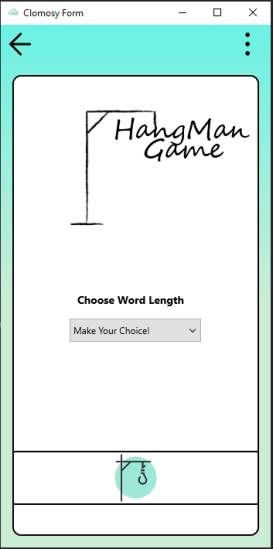
Main Page
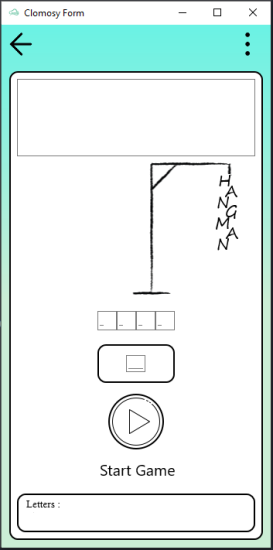
Game Page





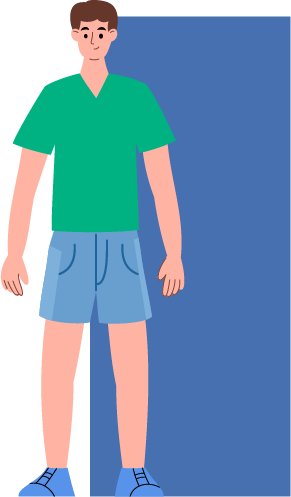
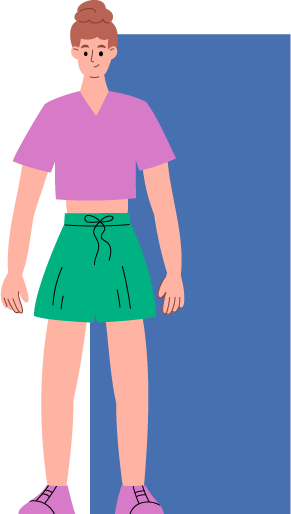



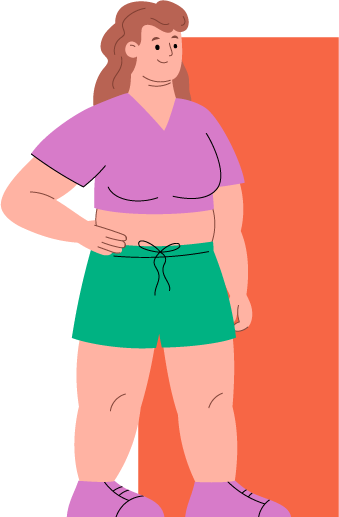

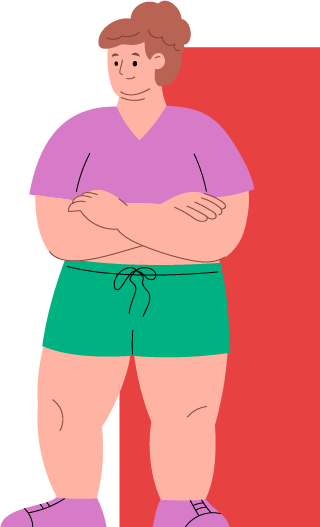




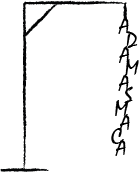
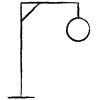
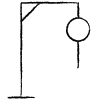
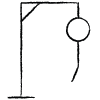
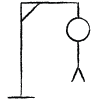


Animation and Effects Game
TclGameForm is used as the form structure in this game. Besides, TclTimer component is also used. Features such as adding animation and sound effects are used on TclGameForm. You can develop applications by looking at the definitions here.
Code:
var
 MyForm:TclGameForm;
 GameTimer:TClTimer;
 BtnRandomFire:TclButton;
 ImgBack:TclProImage;
 ImgTank:TclProImage;
 SndFire:Integer;
 tPosX,tPosY:Single;

 Procedure BtnRandomFireClick;
 var
   i:Integer;
 begin
   MyForm.AnimationWidth := 75;
   MyForm.AnimationHeight := 75;
   MyForm.clAnimateBitmap.AnimationCount :=9;
   MyForm.clAnimateBitmap.AnimationRowCount:=3;
   MyForm.clAnimateBitmap.Delay := 10;
   MyForm.clAnimateBitmap.Duration := 2;
   For i:=0 to 5 do
   Begin
     MyForm.clAnimateBitmap.Delay := Random()*10;
     MyForm.clAnimation(Random() * TForm(MyForm).ClientWidth, Random() * TForm(MyForm).ClientHeight, 0, 'Explosion.png');
   End;
   MyForm.PlayGameSound(SndFire);
 End;

 Procedure ProcOnGameTimer;
 begin
   ImgTank.Visible := True;
   tPosY := tPosY - 10;
   ImgTank.Position.X := tPosX;
   ImgTank.Position.Y := tPosY;
 End;

begin
   MyForm := TclGameForm.Create(Self);
   MyForm.AddGameAssetFromUrl('https://www.clomosy.com/game/assets/BackImage.jpg');
   MyForm.AddGameAssetFromUrl('https://www.clomosy.com/game/assets/Fire.wav');
   MyForm.AddGameAssetFromUrl('https://www.clomosy.com/game/assets/Explosion.png');
   MyForm.AddGameAssetFromUrl('https://www.clomosy.com/game/assets/Tank.png');


   tPosX := Random()* TForm(MyForm).ClientWidth;
   tPosY := TForm(MyForm).ClientHeight;
   SndFire := MyForm.RegisterSound('Fire.wav');
   MyForm.SoundIsActive:=True;

   ImgBack := MyForm.AddNewProImage(MyForm,'ImgBack');
   ImgBack.clSetImage('BackImage.jpg');
   ImgBack.Align := alClient;

   ImgTank := MyForm.AddNewProImage(MyForm,'ImgTank');
   ImgTank.clSetImage('Tank.png');
   ImgTank.Properties.AutoSize := False;
   ImgTank.Width := ImgTank.Width * 2;
   ImgTank.Height := ImgTank.Height * 2;
   ImgTank.Visible := False;

   BtnRandomFire:= MyForm.AddNewButton(MyForm,'BtnRandomFire','RANDOM FIRE');
   MyForm.AddNewEvent(BtnRandomFire,tbeOnClick,'BtnRandomFireClick');
   BtnRandomFire.Align := alBottom;

   GameTimer:= MyForm.AddNewTimer(MyForm,'GameTimer',1000);
   GameTimer.Interval := 500;
   GameTimer.Enabled := True;
   MyForm.AddNewEvent(GameTimer,tbeOnTimer,'ProcOnGameTimer');


   MyForm.Run;
End;


Artificial Intelligence Example
A conversational AI chat engine specialized in dialogue using the OpenAI engine has been developed within the Clomosy infrastructure, and it has been utilized in this example.
Code:
var
 MyForm:TclForm;
 BtnSend:TclProButton;
 LblDisplay:TclLabel;
 MemMsg:TclMemo;
 ghMsgList,MsgList:TclMemo;
 MyOpenAIEngine:TclOpenAIEngine;
 bigPanel,smallPanel:TclProPanel;
 bigLyt:TClLayout;
 sendLbl:TClProLabel;
 MyMQTT : TclMQTT;
 GetTimer,
 settingsTmr: TClTimer;
 counter:integer;

 Procedure BtnSendClick;
 begin
  if Clomosy.AppUserProfile=1 then
  begin
     if MemMsg.Text = '' then
     begin
         ShowMessage('Please write your message.!');
     end
     else
     begin
         MyOpenAIEngine.SendAIMessage(MemMsg.Text);
         MemMsg.Text := '';
     end;
  end;
 End;

 Procedure OnNewMessageEvent;
 begin

     if MyMQTT.ReceivedAlright = False then
     begin
       MsgList.Lines.Add('');
       MyMQTT.Send(MyOpenAIEngine.NewMessageContent);
         if Clomosy.AppUserProfile = 1 then
           MsgList.Lines.Add(MyOpenAIEngine.NewMessageContent);
       MsgList.ScrollTo(0,MsgList.Lines.Count*MsgList.Lines.Count,True);
     end;
 End;

 Procedure MyMQTTStatusChanged;
 begin
   If MyMQTT.Connected Then
   begin
     LblDisplay.TextSettings.FontColor := clAlphaColor.clHexToColor('#00ff00');
   end
   Else
   begin
     LblDisplay.TextSettings.FontColor := clAlphaColor.clHexToColor('#ff0000');
   end;
 End;

 Procedure MyMQTTPublishReceived;
 begin
       If MyMQTT.ReceivedAlright Then
       Begin
         if Clomosy.AppUserProfile <> 1 then
         begin
           MsgList.Lines.Add('');
           MsgList.Lines.Add('                   ' + MyMQTT.ReceivedMessage);
   	      MsgList.ScrollTo(0,MsgList.Lines.Count*MsgList.Lines.Count,True);
   	      if MyMQTT.ReceivedMessage = 'e95vX2faG@3M' then
           begin
             MsgList.Text := '';
             MsgList.Visible := False;
           end;
   	      if MyMQTT.ReceivedMessage = '52eJz#EzV6Yz' then
           begin
             MsgList.Text := '';
             MsgList.Visible := True;
           end;
         end;
       End;
 end;

 procedure runTimer;
 begin
   Dec(counter);
   BtnSend.caption := IntToStr(counter);
   if counter = 19 then
   begin
     if Clomosy.AppUserProfile = 1 then
     begin
       MyMQTT.Send('e95vX2faG@3M');
       MyOpenAIEngine.SendAIMessage('Clomosy stands for cloud mobile system.
       Currently, we are testing an OpenAI chatbot application through Clomosy.
       Clomosy is a platform that enables businesses to develop custom mobile applications to meet their specific needs.
       It is a cloud-based mobile application development system that allows for the creation of user-friendly,
       customizable, and platform-independent mobile applications that can be developed for different platforms such as Android, iOS, and Windows.
       To become a Clomosy developer, you need to create an account on the website (clomosy.com).
       To use the projects you have developed on Clomosy, you need to upload the applications from the platforms (AppStore/PlayStore).
       You can visit docs.clomosy.com to access Clomosy documentation.');
     end;
   end;
   if counter <=0 then
   begin
     if Clomosy.AppUserProfile = 1 then
     begin
       ShowMessage('Now you can start asking your questions.');
       MemMsg.Enabled := True;
       MemMsg.SetFocus;
       BtnSend.Enabled := True;
       BtnSend.caption := 'Send';
     end;
     MsgList.Visible := True;
     MsgList.Text := '';

     GetTimer.Enabled := False;
     counter := 20;
     MyMQTT.Send('52eJz#EzV6Yz');

   end;
 end;

begin
 MyForm := TclForm.Create(Self);
 MyForm.SetFormBGImage('https://clomosy.com/educa/bg5.png');

 bigLyt := MyForm.AddNewLayout(MyForm,'bigLyt');
 bigLyt.Align:=alContents;
 bigLyt.Margins.Left:=20;
 bigLyt.Margins.Right:=20;
 bigLyt.Margins.Top:=30;
 bigLyt.Margins.Bottom:=30;

 smallPanel:=MyForm.AddNewProPanel(bigLyt,'smallPanel');
 clComponent.SetupComponent(smallPanel,'{"Align" : "Top","Width" :300,"Height":50,"RoundHeight":10,
 "MarginBottom":10,"RoundWidth":10,"BorderColor":"#808080","BorderWidth":2,"BackgroundColor":"9b9b9b"}');

 LblDisplay:= MyForm.AddNewLabel(smallPanel,'LblDisplay','CLOMOSY Artificial Intelligence');
 LblDisplay.Align := alcenter;
 LblDisplay.StyledSettings := ssFamily;
 LblDisplay.TextSettings.Font.Size := 18;
 LblDisplay.TextSettings.FontColor := clAlphaColor.clHexToColor('#000000');
 LblDisplay.Margins.Left:=10;
 LblDisplay.Margins.Right:=10;
 LblDisplay.Height:=45;
 LblDisplay.Width := 200;

 MyMQTT := MyForm.AddNewMQTTConnection(MyForm,'MyMQTT');
 MyForm.AddNewEvent(MyMQTT,tbeOnMQTTStatusChanged,'MyMQTTStatusChanged');
 MyForm.AddNewEvent(MyMQTT,tbeOnMQTTPublishReceived,'MyMQTTPublishReceived');

 MyMQTT.Channel := 'chat';//project guid + channel
 MyMQTT.Connect;

 bigPanel:=MyForm.AddNewProPanel(bigLyt,'bigPanel');
 clComponent.SetupComponent(bigPanel,'{"Align" : "Client","MarginRight":10,"MarginLeft":10,
 "RoundHeight":10,"RoundWidth":10,"BorderColor":"#008000","BorderWidth":3}');
 MsgList:= MyForm.AddNewMemo(bigPanel,'MsgList','');
 MsgList.Align := alClient;
 MsgList.ReadOnly := True;
 MsgList.Margins.Top:= 10;
 MsgList.Margins.Left:= 10;
 MsgList.Margins.Right :=10;
 MsgList.TextSettings.Font.Size:=26;
 MsgList.TextSettings.WordWrap := True;
 MsgList.EnabledScroll := True;
 MsgList.Visible := False;

 if Clomosy.AppUserProfile = 1 then
 begin

   MemMsg:= MyForm.AddNewMemo(bigPanel,'MemMsg','');
   MemMsg.Align := alBottom;
   MemMsg.Height := MemMsg.Height * 2;
   MemMsg.Margins.Right:=10;
   MemMsg.Margins.Left:=10;
   MemMsg.Margins.Bottom:= 10;
   MemMsg.Enabled := False;

   sendLbl := MyForm.AddNewProLabel(bigPanel,'sendLbl','Write your message');
   clComponent.SetupComponent(sendLbl,'{"Align" : "Bottom","MarginBottom":5,"MarginTop":5,
   "MarginLeft":15,"Width" :150,"Height":15,"TextColor":"#000000","TextSize":10,"TextVerticalAlign":"center",
   "TextHorizontalAlign":"left","TextBold":"yes"}');

   BtnSend := MyForm.AddNewProButton(bigPanel,'BtnSend','');
   clComponent.SetupComponent(BtnSend,'{"caption":"GÖNDER","Align" : "MostBottom",
   "MarginLeft":100,"MarginRight":100,"RoundHeight":2, "RoundWidth":2,"MarginBottom":8,
   "BorderColor":"#808080","BorderWidth":2,"TextBold":"yes"}');
   BtnSend.Enabled := False;
    MyForm.AddNewEvent(BtnSend,tbeOnClick,'BtnSendClick');

   MyOpenAIEngine:=TclOpenAIEngine.Create(Self);
   MyOpenAIEngine.ParentForm := MyForm;

   MyOpenAIEngine.SetToken('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');
   MyOpenAIEngine.OnNewMessageEvent := 'OnNewMessageEvent';

   ShowMessage('Hello! Wait for me to get ready. After 20 seconds you can manage me the problem.');

   counter := 20;
   BtnSend.Caption := IntToStr(counter);
   GetTimer:= MyForm.AddNewTimer(MyForm,'GetTimer',1000);
   GetTimer.Enabled := True;
   MyForm.AddNewEvent(GetTimer,tbeOnTimer,'runTimer');

 end;

 MyForm.Run;

End;

Output:
